

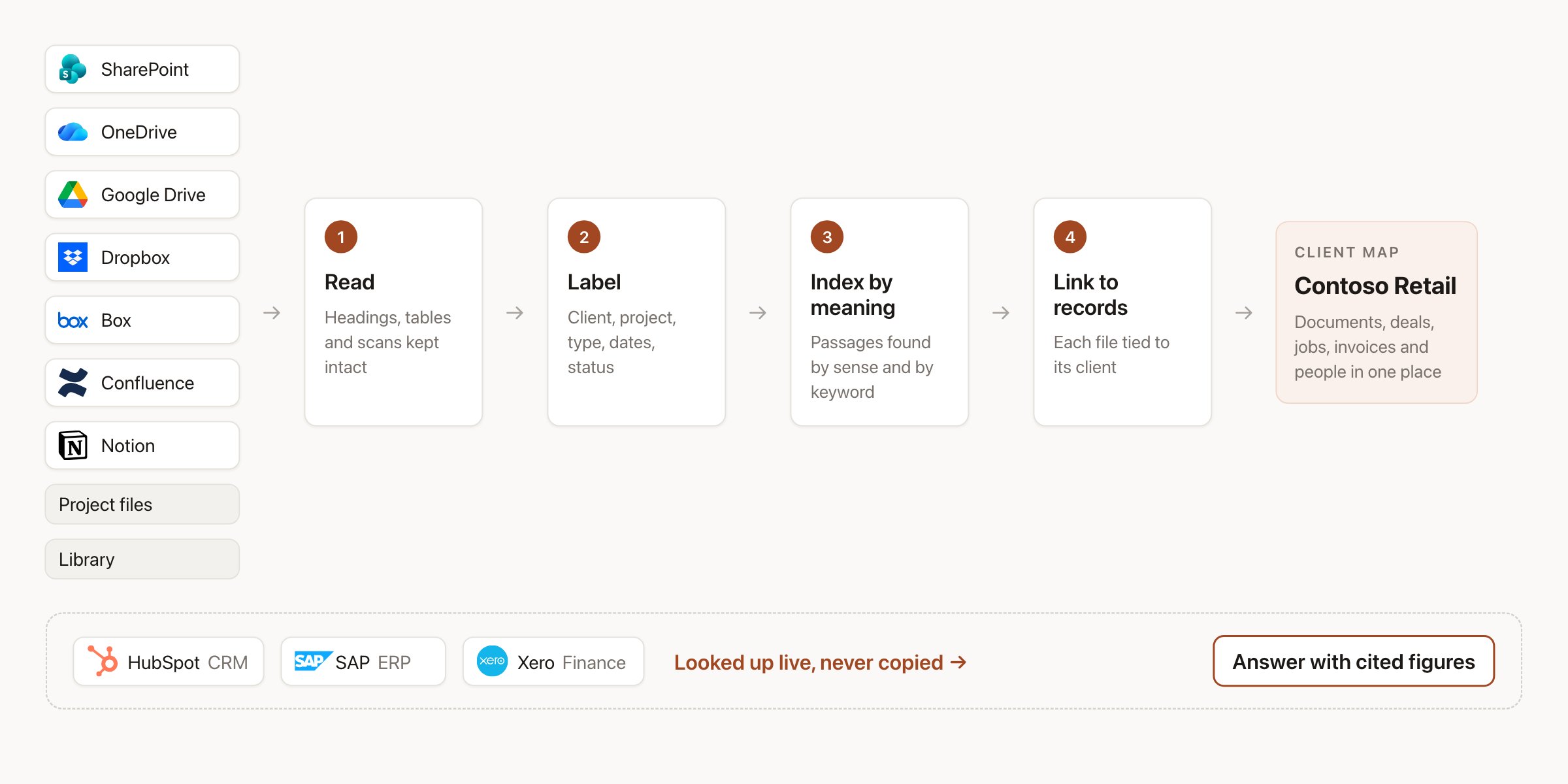
Documents flow through four steps into a map of each client. Business figures are looked up live.
1. Hebno reads everything you point it at
Connectors read from the places where your firm stores its knowledge: SharePoint and OneDrive, Google Drive, Dropbox, Box, Confluence, Notion, your project files and the workspace library. When a file is added or changed, it is read within minutes. Nobody uploads, moves or renames anything. Hebno reads a document the way a person does, not as a stream of text. Headings remain headings, a table remains a table with its rows and columns intact, a scanned contract is read from the page image, and a slide is read with its title, its chart and its speaker notes. A pricing table in a proposal is therefore searchable as a pricing table, not as a jumble of numbers.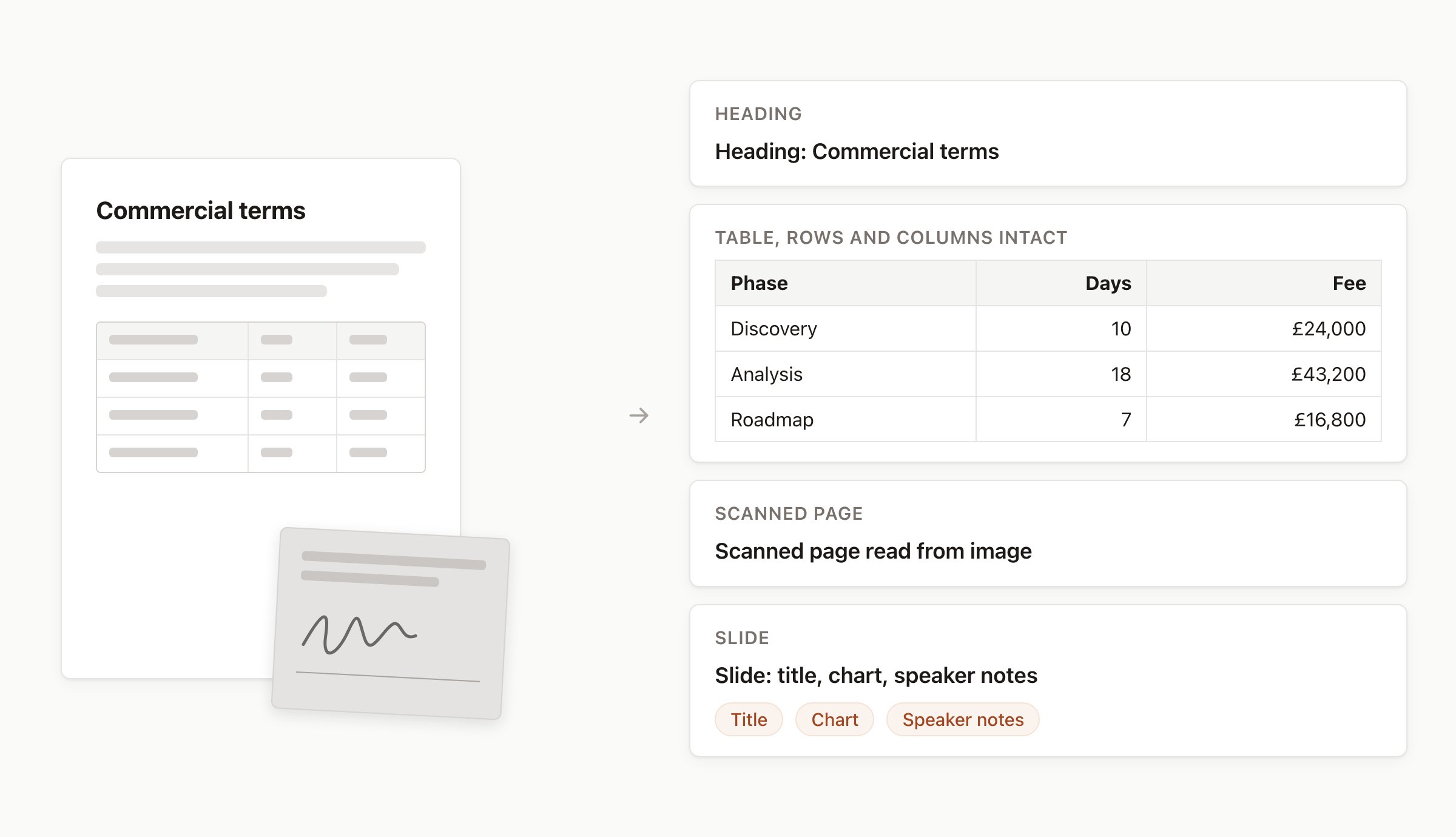
Layout is kept: headings, tables, scanned pages and slides are read as what they are.
2. Hebno labels each document
A model reads each document the way a new joiner would and records what it is:
This replaces the tagging and filing nobody does anyway. It also marks which version counts: when a folder contains
SOW_v3.docx, SOW_v3_final.docx and SOW_v3_final_signed.pdf, the current one is marked and answers use it, while the older drafts remain findable when you ask for them.
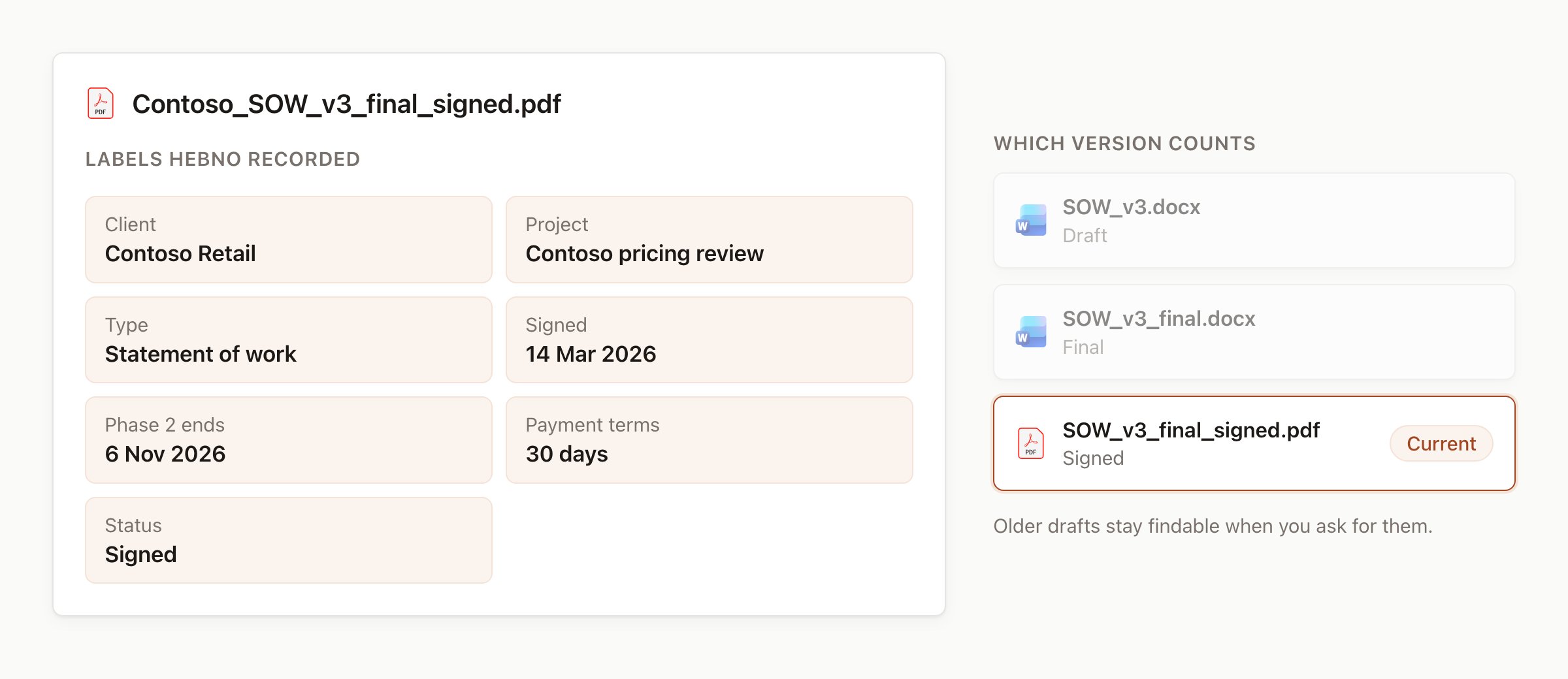
Each document gets labels, and the current version is marked.
3. Hebno indexes by meaning, not only by words
Each document is split into short passages, and every passage is stored with the context it came from: the document, the section heading and the labels above. Each passage is stored as a mathematical fingerprint of what it means, which is the “vector” part. A search for “penalties for late delivery” finds a clause titled “liquidated damages”, even though no word matches. A normal keyword index runs alongside it, so exact terms still hit: a contract number, a product code, a person’s name. Hebno searches both and ranks the results together, then reads the best passages in full before it answers.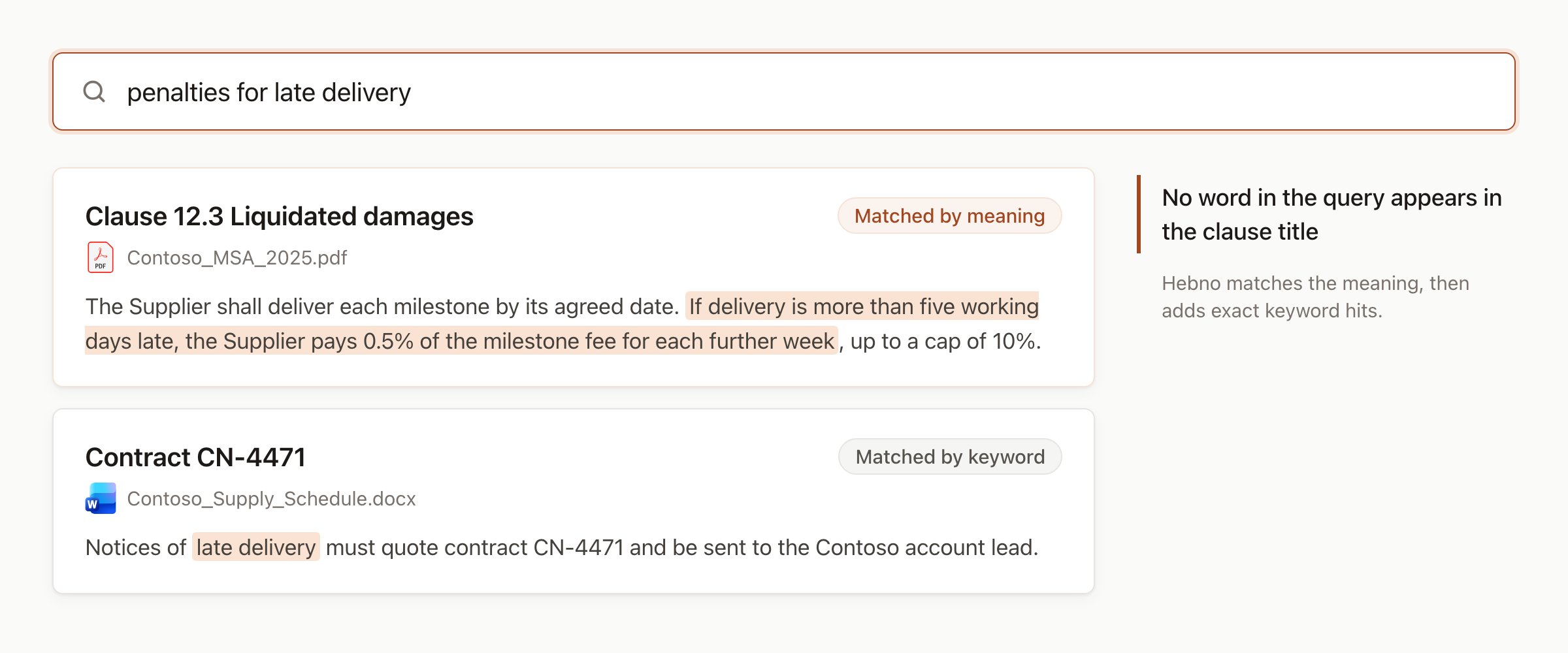
A search finds the clause by meaning and the contract by its number.
4. Hebno links documents to your business records
Because each contract is labelled with its client, Hebno connects a Contoso contract to Contoso’s deals in your CRM, its jobs in your ERP and its invoices in your finance system. Search stops being one big pile of files and becomes a map of each client: the documents, the people, the open work and the money, side by side. To build this map, only names and identifiers from your business systems are stored, such as a client name, a deal number or a job code. Hebno does not copy the records themselves. Linking a project to its records on the Brain tab makes the connection explicit. See Linked records.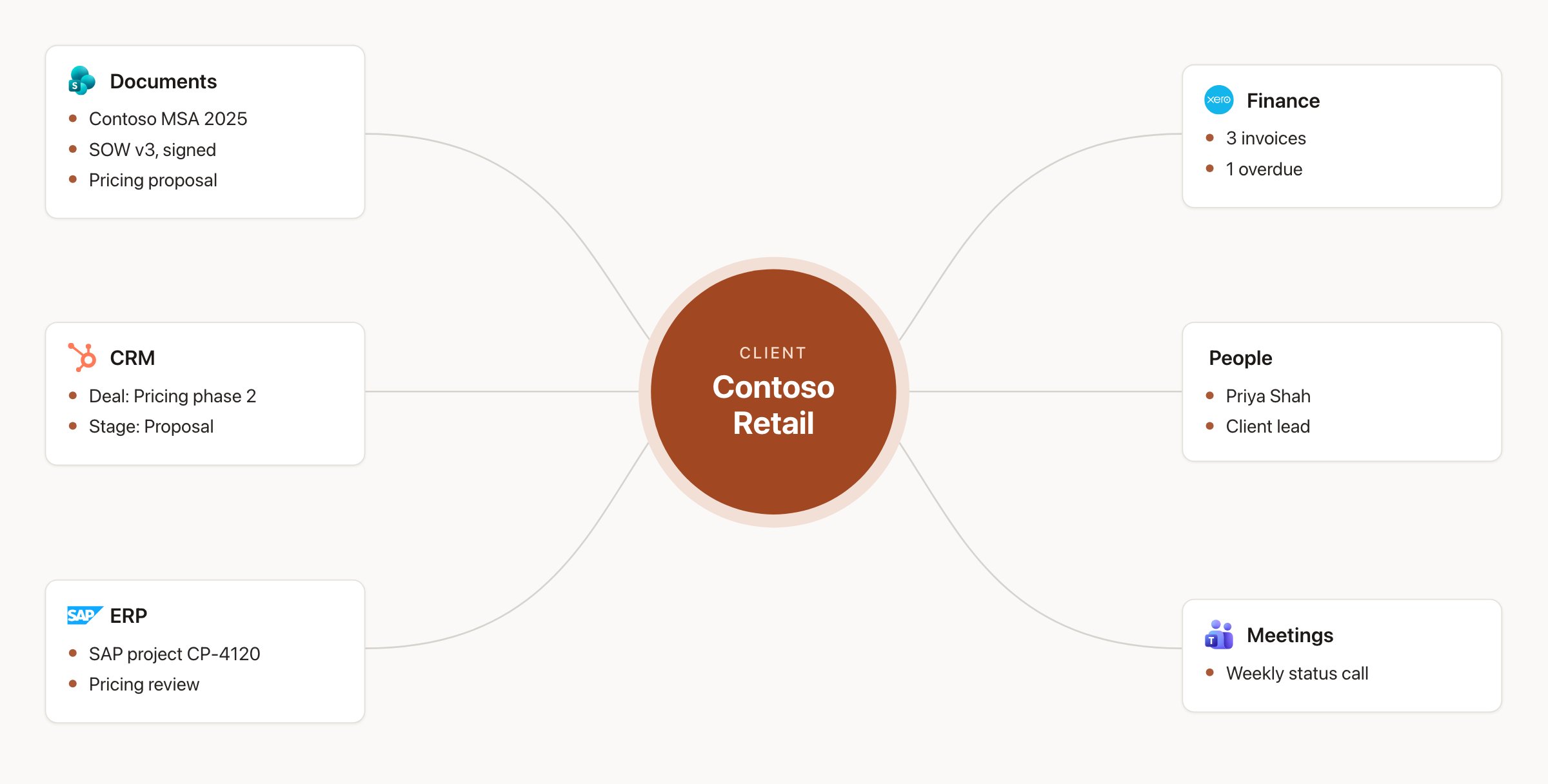
One client, everything connected: documents, deals, jobs, invoices, people and meetings.
Numbers remain in their source systems
Hebno does not copy financial or delivery figures into its index. When someone asks about margin, budget burn, hours logged or what a client owes, Hebno looks it up live in the system that owns the figure, at the moment of the question. You always get today’s figure, every number is cited to the record it came from, and any calculation shows its inputs. The model never produces a figure on its own.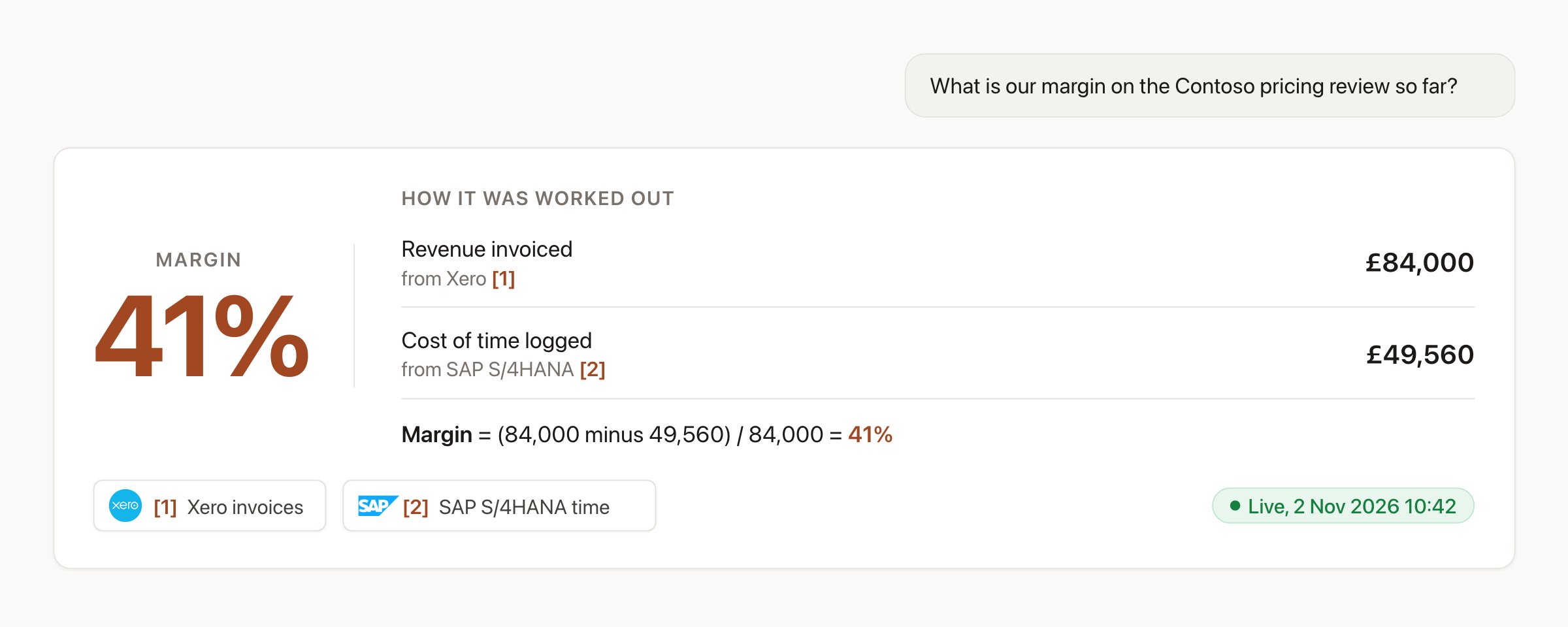
A margin answer built from live figures, with each input cited and the calculation shown.
Access rules match the source
If someone cannot open a file in SharePoint today, they will not see it in Hebno either. Hebno records the permissions of every document it indexes and checks them twice: once when it searches, and again against the member’s own access when it reads the document to answer. When access is removed in the source system, or a file is deleted, Hebno updates within minutes.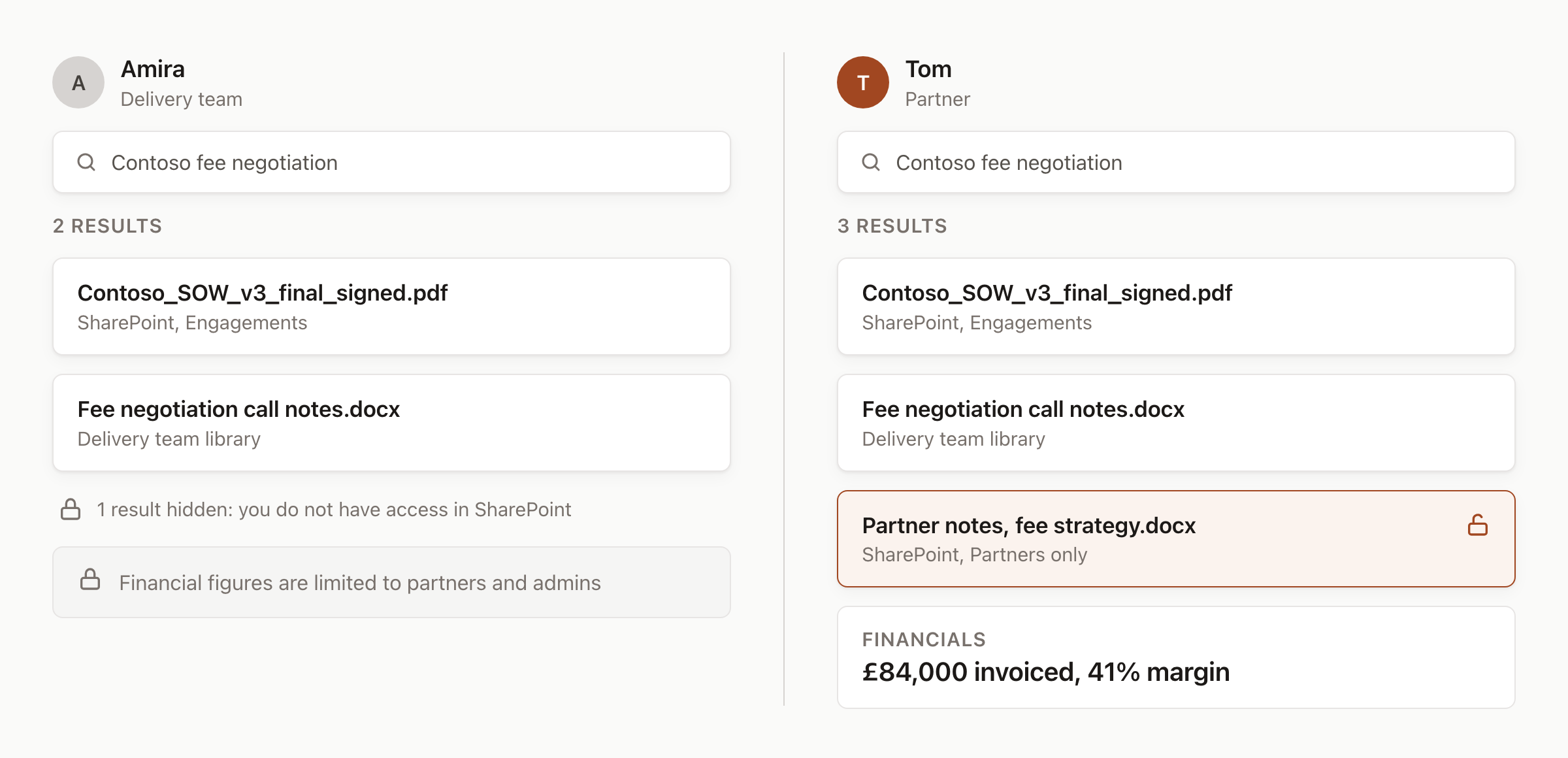
Two people, one search. Each sees only what their own access allows.
Security
- Your region: your workspace and its index are stored in the EU or the US, as you choose. Admins can turn on only EU-hosted models when work must remain in the EU.
- Names are masked: names of clients, people, projects and amounts are swapped for placeholders before text reaches a model, and restored inside your workspace when the answer comes back.
- No training: your inputs and outputs are never used to train a model.
- Encryption: AES-256 at rest and TLS 1.2 or higher in transit.
From a question to client work
The sources searched depend on your question: the index, a live system, the web, or several at once. A quick question gets a direct answer. Work that needs evidence from many places becomes a research run, with each step and source shown as it goes. Either way, every reply lists its Sources, and deliverables mark each finding as Supported, Inferred or Uncertain, so a person reviews the work before it reaches a client. Hebno writes back to another system only after you confirm a card.Next steps
Quickstart
Ask your first question and save a first deliverable.
How integrations work
What each connected system reads and writes.