

At a glance
Before you start
You need a Microsoft work or school account. Teams permissions need a Microsoft directory administrator to approve them, because meeting transcripts and messages are sensitive.OnlineMeetingTranscript.Read.All, OnlineMeetingAiInsight.Read.All and ChannelMessage.Read.All need administrator consent even though they are delegated. Approving Teams does not approve SharePoint or any other Microsoft integration.
Copilot notes need a Microsoft 365 Copilot licence on the account, and the organisation must allow apps to read transcripts. Without them, meetings, details and transcripts still work.
Connect Microsoft Teams
1
Enable Teams for the organisation
An owner or admin opens Admin → Connectors → Catalogue, finds Microsoft Teams under Communication, selects Enable for the organisation and approves in Microsoft as a directory administrator.
2
Connect your account
Open Settings → Connections, find Microsoft Teams and select Connect or Grant access. You can also type
/ in chat and choose Microsoft Teams. With the organisation enabled, you see no consent screen.3
Allow posting (optional)
Select Allow posting on the Microsoft Teams row to add
ChannelMessage.Send. The same button appears on a channel message card if you try to post first.What Hebno reads
Hebno reads meetings that your calendar shows as online meetings from the last 60 days, up to 200 meetings. Teams retains meeting records for 60 days after a meeting ends. For a recurring meeting, Hebno uses only the notes and transcript from 30 minutes before to 3 hours after the occurrence. When Hebno reads a meeting, it uses Copilot notes first (they are already a summary), then a transcript excerpt, then the meeting details. The source label shows Copilot notes, Transcript or Meeting details, with the attendee count. A meeting search returns up to 3 meetings.
Attaching a meeting offers its Full meeting record, Meeting details, Copilot notes and Transcript as separate files. Gaps are explained inside the file, for example “No Copilot notes yet. They can take up to four hours after the meeting ends.” or “No transcript. Transcription must be turned on during the meeting.”
Channel messages and chats are searched by the people, words and time range in your request, and only in channels and chats your account can open. Reads are live, and only the excerpts a reply used are stored with the conversation as its sources.
What Hebno writes
Every post appears first as a confirmation card. You can change any field before you select Confirm.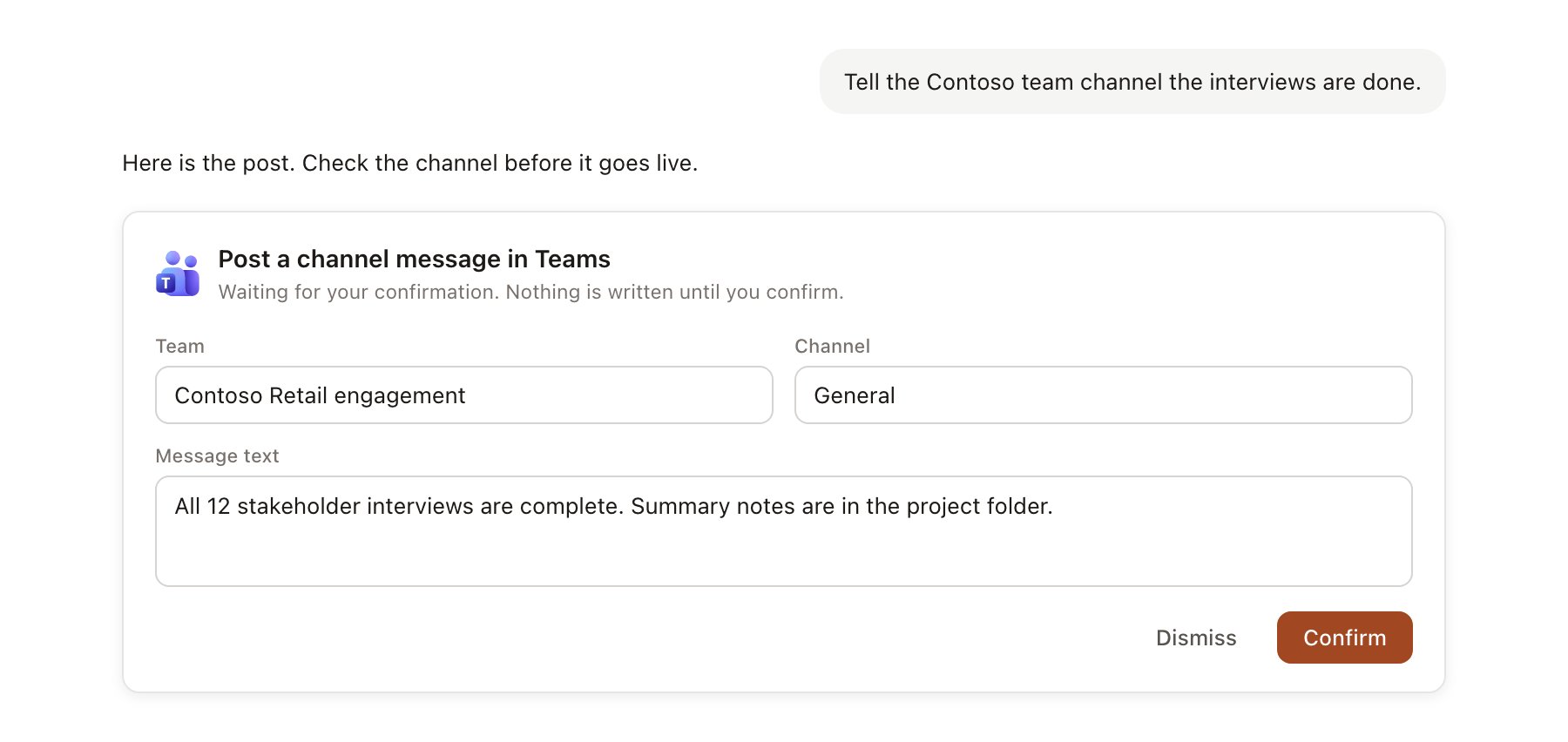
A Microsoft Teams change pending confirmation. Nothing is written until you confirm.
Use Microsoft Teams in chat
-
Attach: open the + menu, choose Sources → Microsoft Teams, and pick a meeting from the last 60 days, then one of its files. Or type
/and choose Microsoft Teams. -
Ask: name the client, the person or the decision. For example:
Summarise what Contoso agreed in our last two Teams meetings and list who owns each action.
What did the delivery channel say about the interview schedule this week?
Post a short status update to the Contoso delivery channel with this week’s three actions.
- Research runs show a Reviewing recent Teams meetings step, with a chip for each meeting, formatted as Teams meeting, date.
- Agents can read Teams on a schedule, for example a Monday digest of last week’s client meetings. Posts an agent drafts appear in agent approvals.