

At a glance
Before you start
You need:- A Close user in the organisation that contains your leads.
- A Close role that lets you view and edit the leads you work on. Close admins manage roles under Settings → Roles & Permissions.
- An allowed integration. An owner or admin sets Close to Allow under Admin → Connectors → Catalogue.
Your Close role still applies on top of the scope. If your role cannot edit a lead, Hebno cannot edit it either.
Connect Close
1
Start the connection
Open Settings → Connections, find Close and select Connect. You can also select Connect from the prompt in a chat.
2
Sign in to Close
Sign in, choose the organisation if you belong to more than one, and select Authorize.
3
Return to Hebno
The card shows Connected with your Close organisation name.
What Hebno reads
Reads are live. Hebno queries Close when a request needs it. Only what a reply used is stored with the conversation as its sources. Hebno reads call notes and transcripts where Close has them, and does not play or store call recordings.
What Hebno writes
Every write appears first as a confirmation card. You can change any field before you select Confirm.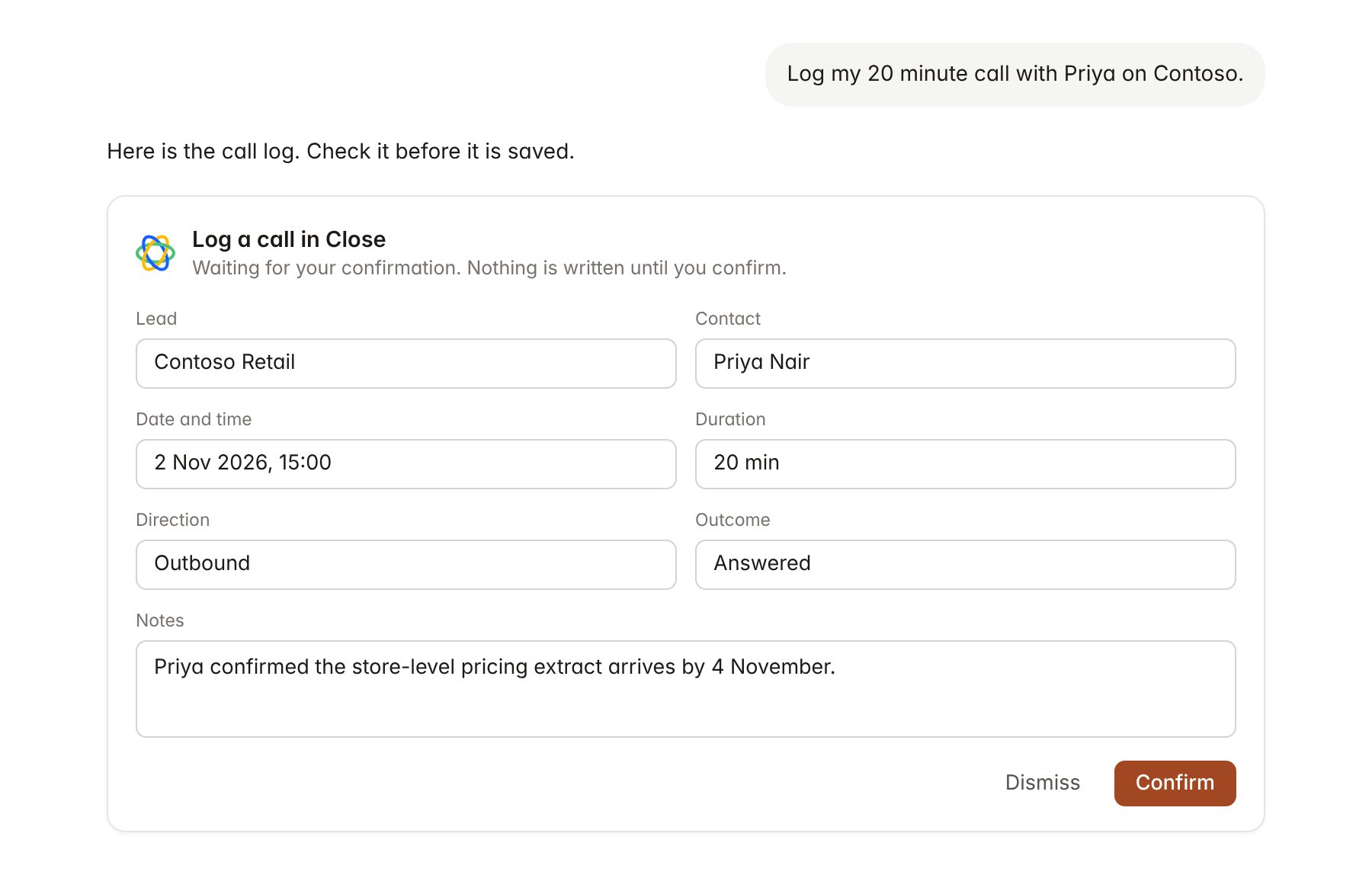
A Close change pending confirmation. Nothing is written until you confirm.
Link a project to a lead and an opportunity
Linking marks which Close records belong to a project, so you can ask “where are we with the client?” without naming the lead.- Open the project and select Brain.
- Under Linked records, select Link record, then Close.
- Search for the lead and select it. Repeat to add the opportunities that belong to the engagement.
Use Close in chat
-
Attach: open the + menu, choose Sources → Close, and pick a lead, contact, opportunity or Smart View. Or type
/and choose Close. -
Ask: name the client, contact or opportunity in your request. For example:
Summarise every call and email with Contoso Retail since 1 October and list what they asked us for.
Which active opportunities in the Advisory pipeline close in November 2026 and have no task due?
Mark the Contoso Phase 2 opportunity as Won at 48,000 and add a task for Sarah Chen to send the engagement letter by 6 November.
- Research runs show a Reviewing Close step, with a chip for each lead, opportunity and activity it read.
- Agents can read Close on a schedule, for example a Monday brief on opportunities due to close this month. Writes an agent proposes appear in agent approvals for review.