

At a glance
Before you start
You need:- A Coda account that can open the docs you want to use, with edit access on docs where you want Hebno to add pages or rows.
- An allowed integration. An owner or admin sets Coda to Allow under Admin → Connectors → Catalogue.
- A Coda API token. In Coda, open Account settings, scroll to API settings and select Generate API token.
If your Coda workspace admin turns off API access for members, tokens stop working. Ask them to allow it in the workspace settings.
Connect Coda
1
Check the integration is allowed
An owner or admin controls this under Admin → Connectors → Catalogue. If Coda shows Blocked, ask an admin to set it to Allow.
2
Create a token in Coda
In Coda, open Account settings → API settings, select Generate API token, name it Hebno, choose the access and copy the token.
3
Connect in Hebno
Open Settings → Connections, find Coda under Knowledge, select Connect, paste the token and select Connect. The row shows Connected with your Coda name.
What Hebno reads
The docs your organisation selects are stored in the knowledge index and searched by meaning, with Coda permissions checked at search and again at read. Opening a specific page or table reads it as it is now, with your token. Only the excerpts a reply used are stored with the conversation as its sources.
To filter a table, Hebno queries its rows by column value, for example status or owner, rather than reading the whole table.
What Hebno writes
Every write appears first as a confirmation card. You can change any field before you select Confirm.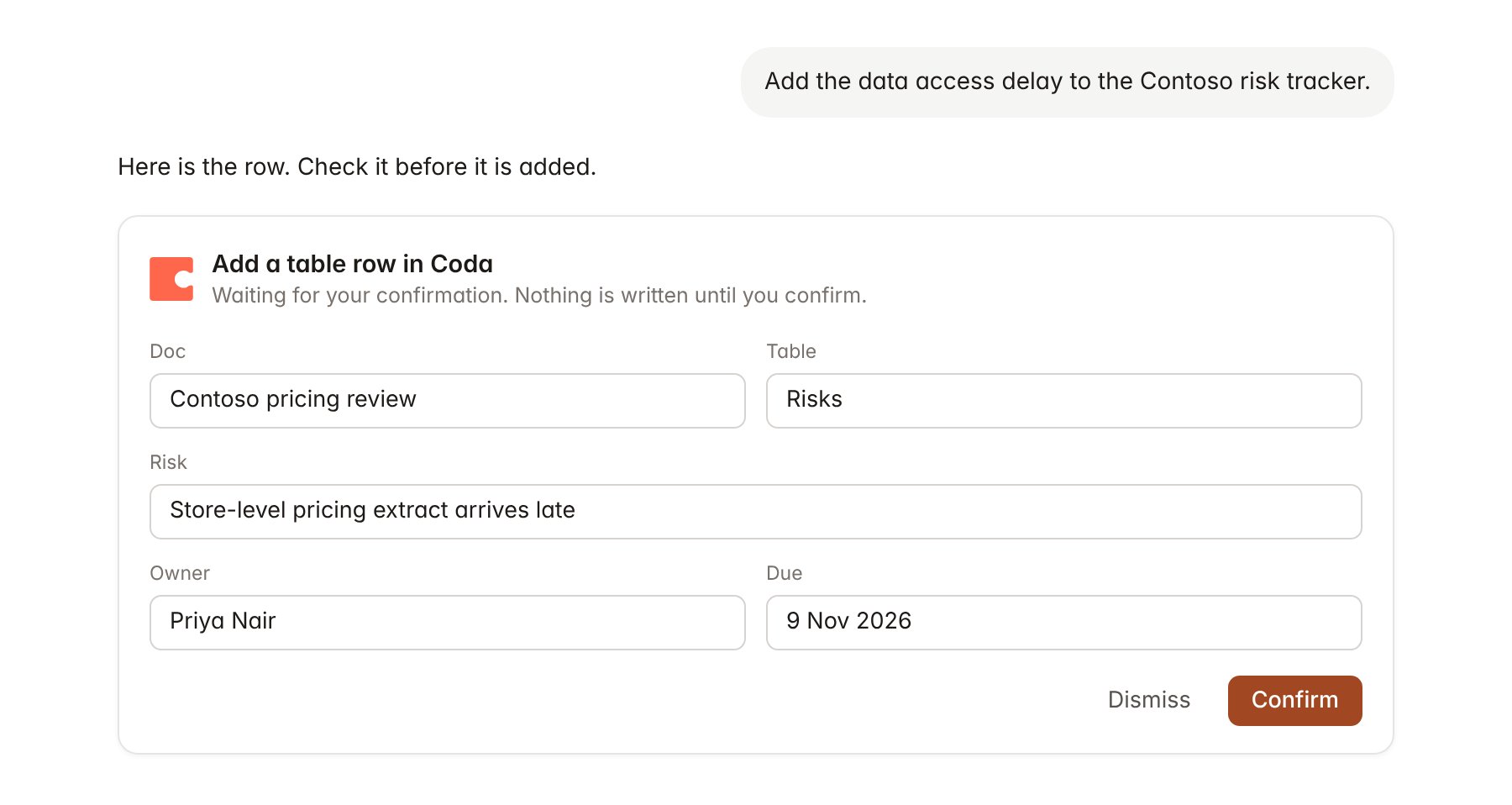
A Coda change pending confirmation. Nothing is written until you confirm.
Link a project to a doc
Linking marks which Coda docs belong to an engagement, so you can ask “what is on the risk tracker?” without naming the doc.- Open the project and select Brain.
- Under Linked sources, select Link source, then Coda.
- Search by doc name, or paste a Coda doc link, and select Link.
Use Coda in chat
-
Attach: open the + menu, choose Sources → Coda, and pick a doc, a page or a table. Or type
/and choose Coda. -
Ask: name the doc, page or table in your request. For example:
List every open risk on the Contoso risk tracker, grouped by owner, with due dates in November 2026.
Summarise the Contoso kickoff page and the decision log table for the steering committee update.
Add the interview with Sarah Chen to the Interviews table, dated 4 November, status Complete.
- Research runs show a Reviewing Coda step, with a chip for each page and table Hebno read.
- Agents can read Coda on a schedule, for example a Monday summary of open risks. Writes an agent proposes appear in agent approvals for review.