

At a glance
Before you start
You need:- A Salesforce user with API access enabled on their profile or permission set.
- Your Salesforce login address if your firm uses My Domain, for example
https://northwind.my.salesforce.com. Members of a sandbox use the sandbox login address. - An allowed integration. An owner or admin sets Salesforce to Allow under Admin → Connectors → Catalogue.
For Salesforce administrators
Hebno connects through an OAuth app in your Salesforce org. If your org restricts which users can authorise apps, a Salesforce administrator opens Setup → Manage Connected Apps (or External Client App Manager), finds the Hebno app and sets Permitted Users to Admin approved users are pre-authorized. Then assign the permission sets or profiles of the members who should connect. Members outside that list see an authorisation error when they select Connect.Connect Salesforce
1
Start the connection
Open Settings → Connections, find Salesforce and select Connect. You can also select Connect from the prompt in a chat.
2
Sign in to Salesforce
Enter your Salesforce login address if asked, sign in, and approve the access Hebno requests.
3
Return to Hebno
The card shows Connected with your Salesforce username.
What Hebno reads
Reads are live. Hebno queries Salesforce when a request needs it. Only what a reply used is stored with the conversation as its sources.
What Hebno writes
Every write appears first as a confirmation card. You can change any field before you select Confirm.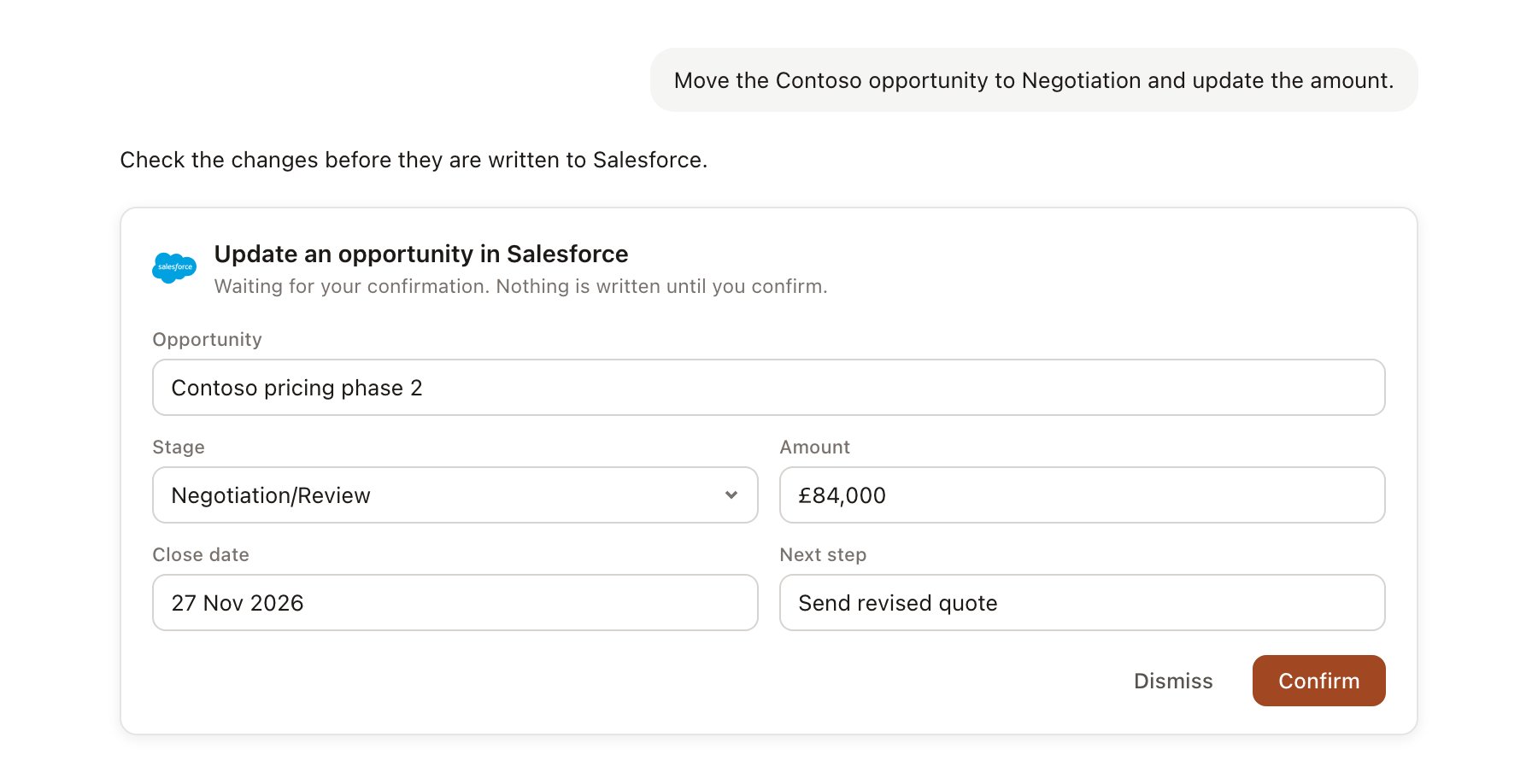
A Salesforce change pending confirmation. Nothing is written until you confirm.
Link a project to an account
Linking marks which Salesforce records belong to a project, so you can ask “where does the deal stand?” without naming the opportunity.- Open the project and select Brain.
- Under Linked records, select Link record, then Salesforce.
- Search for the account and select it. Repeat to add the opportunities that belong to the engagement.
Use Salesforce in chat
-
Attach: open the + menu, choose Sources → Salesforce, and pick an account, contact or opportunity. Or type
/and choose Salesforce. -
Ask: name the client, contact or deal in your request. For example:
Prep me for Thursday’s pitch meeting with Contoso Retail: open opportunities, who we have met, and what we proposed last time.
Summarise the account history for Contoso since January and flag anything that went quiet.
Add a note to the Contoso renewal: Priya wants fixed-fee pricing for phase 2. Create a follow-up task for me for Monday.
- Research runs show a Reviewing Salesforce step, with a chip for each account, opportunity and activity it read.
- Agents can read Salesforce on a schedule, for example a Friday summary of opportunities with a close date in the next 30 days. Writes an agent proposes appear in agent approvals for review.