

At a glance
Before you start
You need:- An owner or admin role in Hebno.
- A Gong technical administrator, who creates the API key. Only technical administrators can open the API page in Gong.
- An access key and access key secret, created in Gong under Company settings → Ecosystem → API with Create. Gong shows the secret once, so copy it before you close the dialog.
- The base URL shown on the same page, for example
https://us-12345.api.gong.io. - Your CRM connected to Gong, if you want deal context such as account, opportunity and stage.
Connect Gong
1
Allow the integration
Open Admin → Connectors → Catalogue, find Gong under Meetings and calls, and set it to Allow.
2
Connect the organisation
Select Connect, enter the base URL, access key and access key secret, then select Test connection. Hebno checks that it can read calls, transcripts and users.
3
Choose teams and data areas
Under Who can use it, choose All teams or pick teams. Under Data areas, choose what members can see. See Data areas.
Data areas
Data areas control what members of the allowed teams can see through the organisation connection.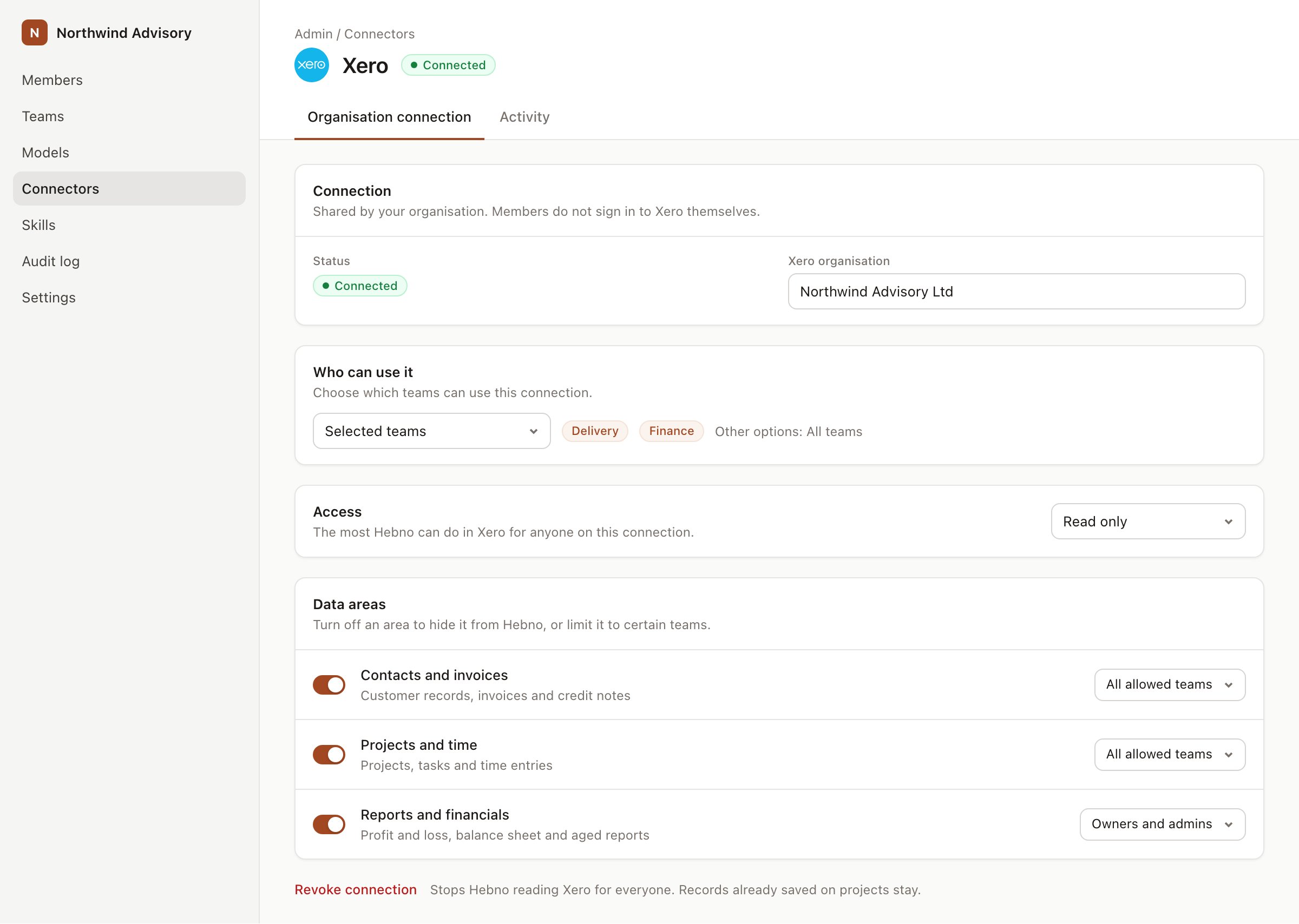
An organisation connection with team access and data areas. Financial figures default to owners and admins.
What Hebno reads
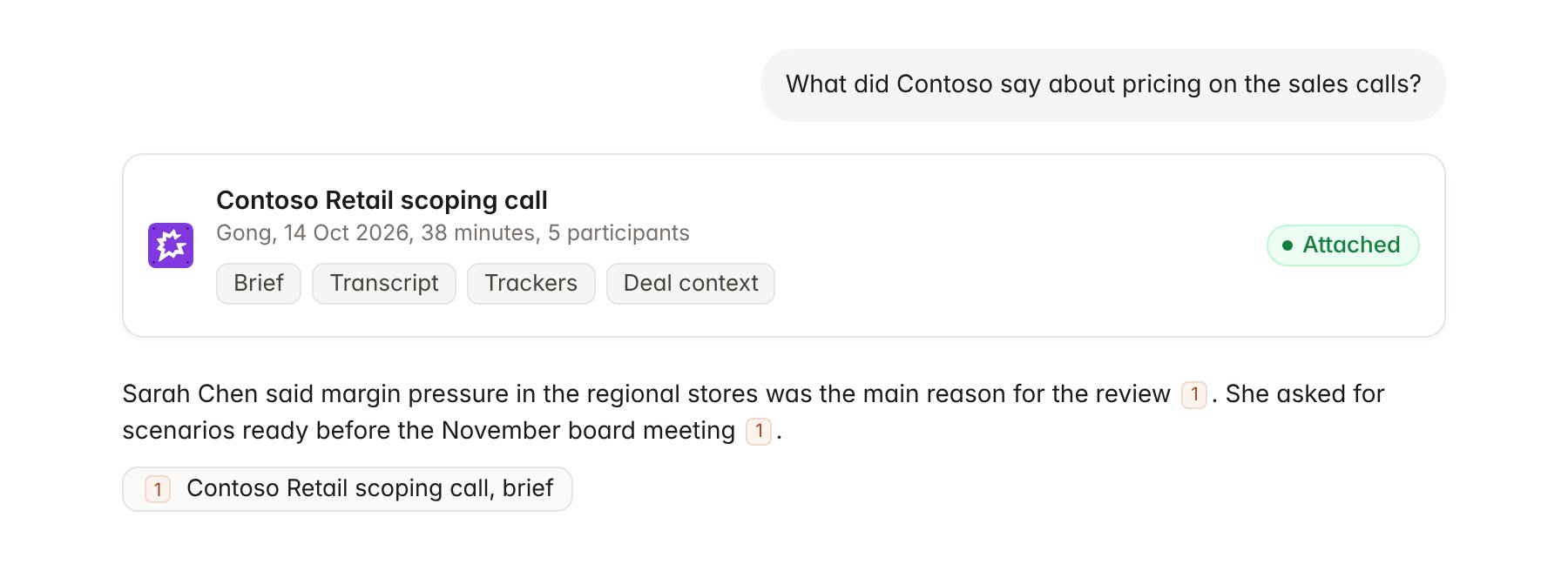
A Gong call attached to a chat.
Hebno reads only
Hebno does not write to Gong. It does not create calls, edit trackers, add comments, share calls or change call privacy. To record a follow-up, use your CRM integration, such as Salesforce or HubSpot.Link a project to a Gong account
Linking marks which Gong account or deal belongs to an engagement, so you can ask “what did the client tell sales?” without naming the account.- Open the project and select Brain.
- Under Linked records, select Link record, then Gong.
- Search by account or opportunity name and select it, for example the Contoso Retail account or the Contoso pricing review deal.
Use Gong in chat
-
Attach: open the + menu, choose Sources → Gong, pick a call, then pick the brief, transcript or full record. Or type
/and choose Gong. -
Ask: name the client, deal, person or topic. For example:
Summarise everything Contoso said about pricing and margin pressure across the sales calls before we started the engagement.
What did the account team promise Contoso about scope and timing? Quote the calls.
Which objections came up most often in Contoso calls, and who raised them?
- Research runs show a Checking Gong step, with a chip for each call it read.
- Agents can read Gong on a schedule, for example a weekly brief on new calls with active clients. Gong has no write actions, so agents only read.