

At a glance
Before you start
You need:- An Acrobat Sign user in the account your firm uses for client agreements, with permission to send agreements.
- Access to the library templates you want to use, shared with you, your group or the account.
- An allowed integration. An owner or admin sets Adobe Acrobat Sign to Allow under Admin → Connectors → Catalogue.
:self modifier limits each scope to agreements and templates your own user can open.
Hebno does not request
agreement_send, so it cannot send an agreement out for signature.
Acrobat Sign accounts are hosted on regional shards, such as North America, Europe, Japan, Australia and India. Hebno uses the API access point Acrobat Sign returns when you connect, so every region connects the same way.
Connect Adobe Acrobat Sign
1
Start the connection
Open Settings → Connections, find Adobe Acrobat Sign under Proposals and signatures and select Connect. You can also select Connect from the prompt in a chat.
2
Sign in to Acrobat Sign
Sign in with your Adobe ID or company account, review the permissions and select Allow Access.
3
Return to Hebno
The card shows Connected with your Acrobat Sign email.
What Hebno reads
Reads are live. Hebno queries Acrobat Sign when a request needs it. Only what a reply used is stored with the conversation as its sources.
What Hebno writes
Every write appears first as a confirmation card. You can change any field before you select Confirm.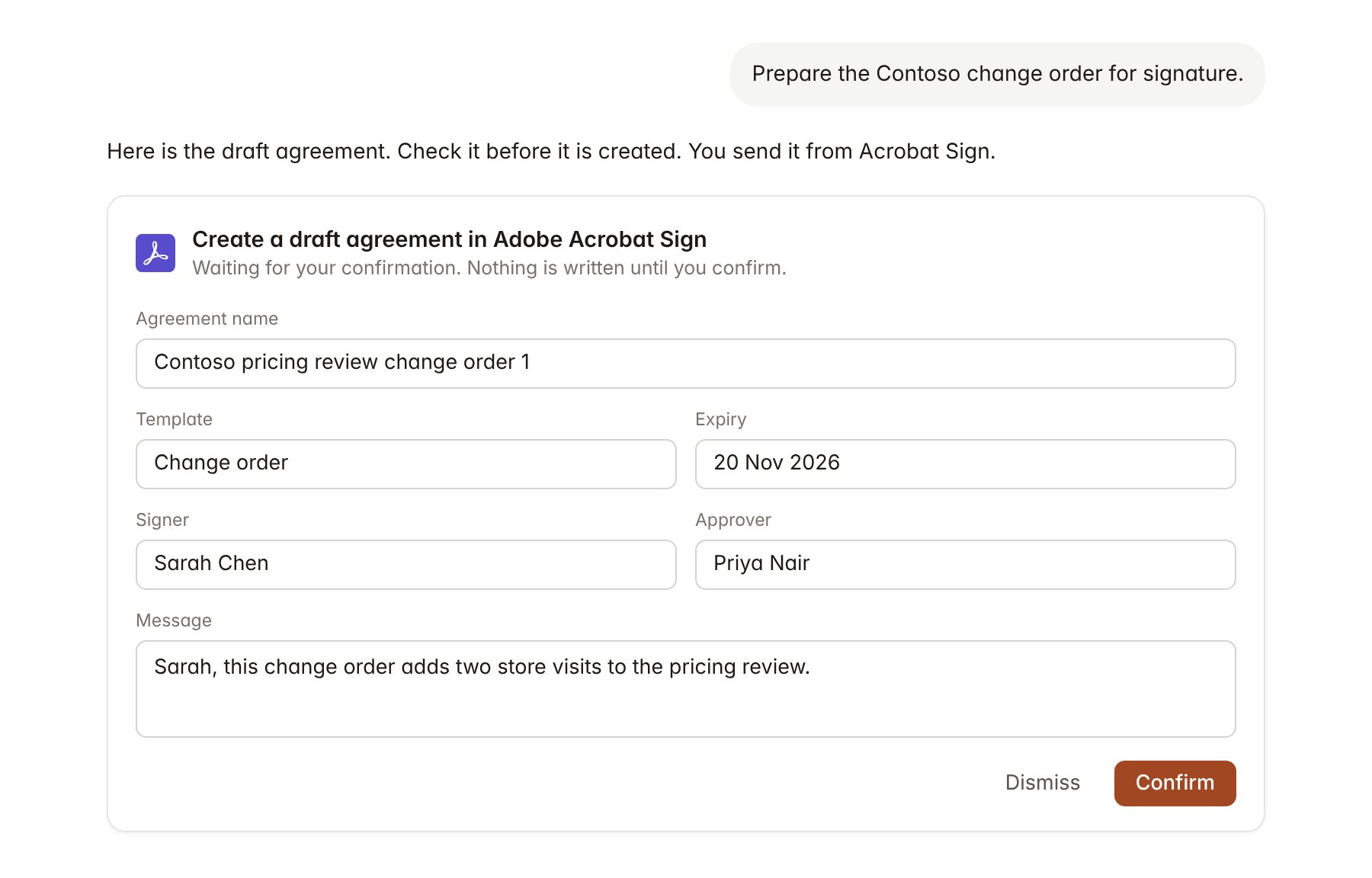
An Adobe Acrobat Sign change pending confirmation. Nothing is written until you confirm.
Link a project to an agreement
Linking marks which agreements belong to an engagement, so you can ask “is everything signed?” without naming the agreement.- Open the project and select Brain.
- Under Linked records, select Link record, then Adobe Acrobat Sign.
- Search by agreement name or participant and select the agreement. Repeat for each agreement in the engagement.
Use Adobe Acrobat Sign in chat
-
Attach: open the + menu, choose Sources → Adobe Acrobat Sign, and pick an agreement, a signed document or a library template. Or type
/and choose Adobe Acrobat Sign. -
Ask: name the client, agreement or participant in your request. For example:
Which Contoso agreements are out for signature, and who is each one waiting on?
Summarise the termination and confidentiality clauses in the signed Contoso master services agreement.
Create a draft change order for Contoso with Sarah Chen as signer and Priya Nair as approver.
- Research runs show a Checking Adobe Acrobat Sign step, with a chip for each agreement it read.
- Agents can read Acrobat Sign on a schedule, for example a weekly list of agreements due to expire. Writes an agent proposes appear in agent approvals for review.