

At a glance
Before you start
You need a Microsoft work or school account with Outlook Calendar.
Reading is enough to connect.
Calendars.ReadWrite is a second grant so booking is your own choice.
Connect Outlook Calendar
1
Open connections
Open Settings → Connections, find Outlook Calendar under Calendar, and select Connect. You can also type
/ in chat and choose Outlook Calendar.2
Approve reading
Sign in to Microsoft and approve read access. Hebno shows Outlook Calendar connected.
3
Allow invitations (optional)
On the Outlook Calendar row, select Allow invitations and approve
Calendars.ReadWrite. The same button appears on an invitation card if you try to send first.What Hebno reads
Hebno searches your default calendar and the shared calendars you have opened. Search matches the client, domain or person you name across subject, calendar, location, organiser and attendees, and returns the count and the 12 most recent events. The default window is the last three years, and you can name dates. Cancelled events are left out. Attaching an event adds a Markdown file with the title, time, organiser, place, link, attendees and body.
Free-slot suggestions use Outlook’s availability for the attendees you name. Name colleagues, give their email addresses, or ask for a Hebno team and Hebno uses that team’s members. Every attendee must be free, and Hebno returns up to five suggestions between 08:00 and 18:00 on the days you prefer. Suggestions do not book anything.
Reads are live, and only what a reply used is stored with the conversation as its sources.
What Hebno writes
Every invitation appears first as a card titled Calendar invitation. You can change any field before you select Send.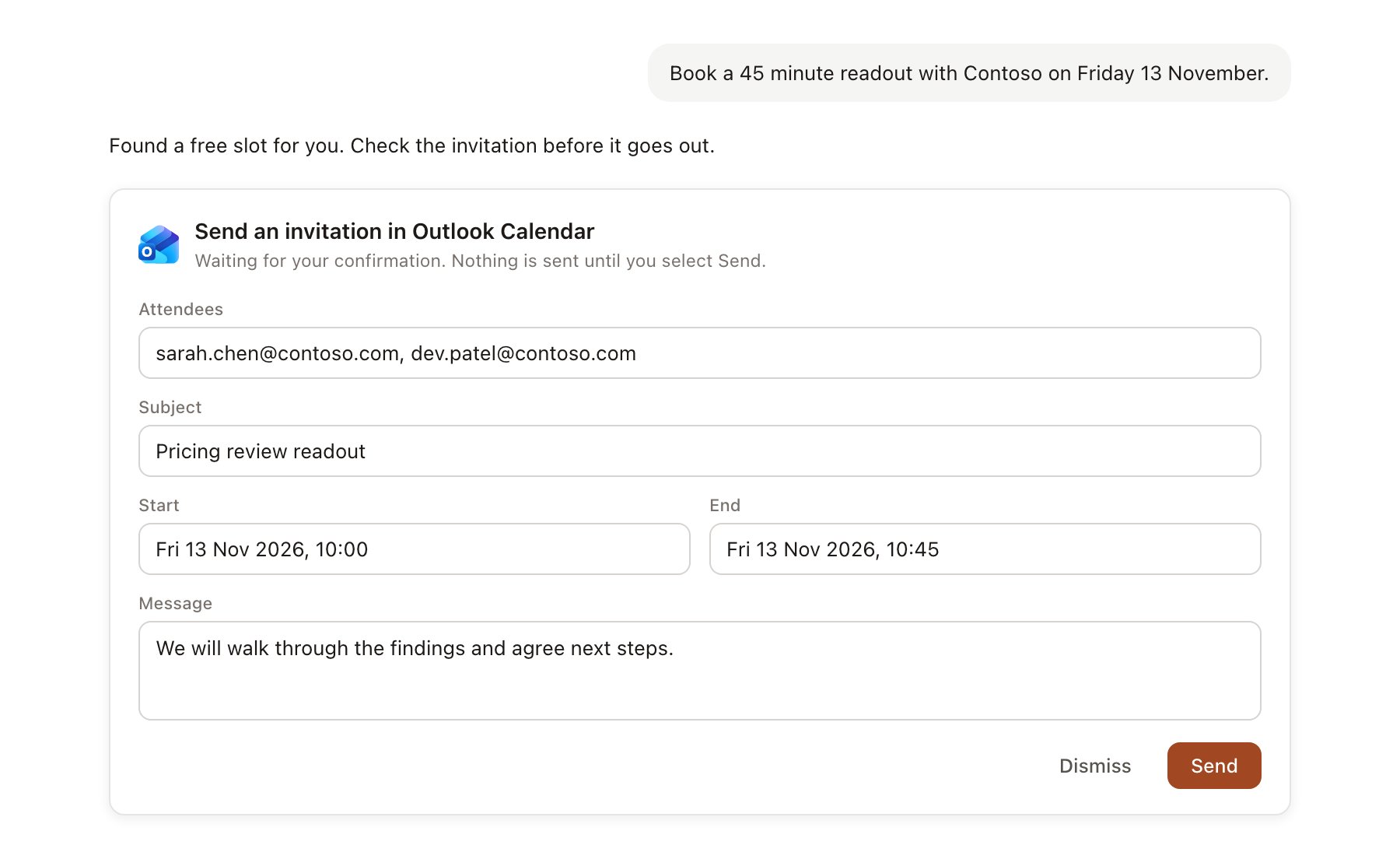
An Outlook Calendar change pending confirmation. Nothing is written until you confirm.
Use Outlook Calendar in chat
-
Attach: open the + menu, choose Sources → Outlook Calendar, and pick an upcoming event, or search the past year and next 90 days. Or type
/and choose Outlook Calendar. -
Ask: name the client, the person or the time frame. For example:
Prepare me for Thursday’s Contoso steering committee using the last three meetings with them.
Find a 45-minute slot for me, Dana and Marcus next week and send Priya an invitation for it.
How many meetings have we had with contoso.com since January?
- Research runs show a Checking the calendar step and a Finding a free time step, with a chip for each event, formatted as Calendar event, date.
- Agents can read your calendar on a schedule, for example a morning brief of the day’s client meetings. Invitations an agent drafts appear in agent approvals.