

At a glance
Before you start
You need:- A Freshdesk agent account and your helpdesk address, for example
contoso.freshdesk.com. - Your Freshdesk API key. In Freshdesk, select your profile picture, choose Profile settings, and copy the key under Your API Key. Freshdesk shows it again after you complete a short check.
- An agent role that can view and edit the tickets you want to use. Freshdesk applies your role and ticket scope (all tickets, group tickets or assigned tickets) to every API request.
- An allowed integration. An owner or admin sets Freshdesk to Allow under Admin → Connectors → Catalogue.
Connect Freshdesk
1
Start the connection
Open Settings → Connections, find Freshdesk under Customer support and select Connect. You can also select Connect from the prompt in a chat.
2
Enter your details
Enter your helpdesk address and paste your API key.
3
Test and save
Select Test connection. Hebno checks the key and shows your agent name. Select Save.
What Hebno reads
Reads are live. Hebno queries Freshdesk when a request needs it. Only what a reply used is stored with the conversation as its sources.
What Hebno writes
Every write appears first as a confirmation card. You can change any field before you select Confirm.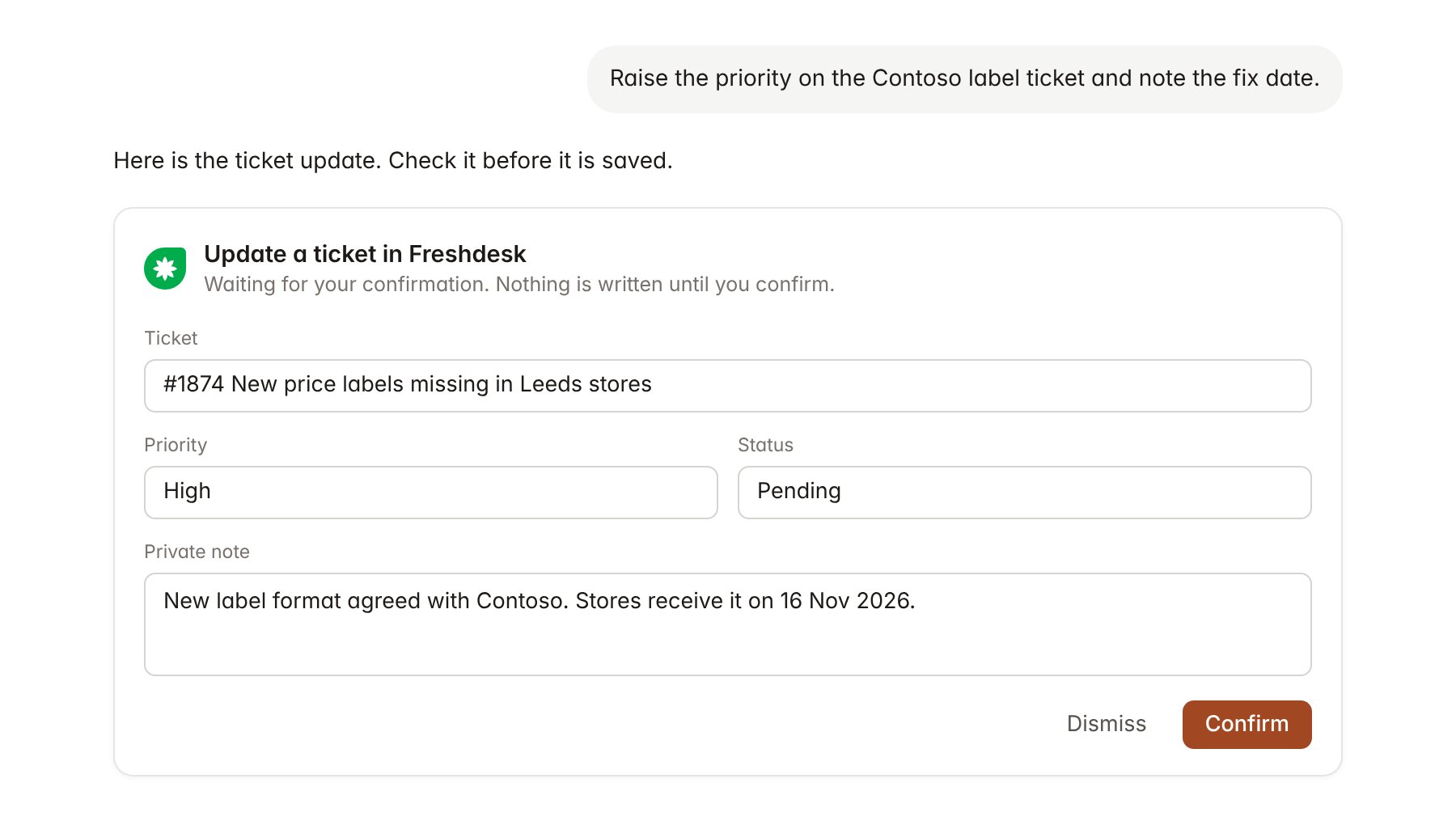
A Freshdesk change pending confirmation. Nothing is written until you confirm.
Link a project to a company
Linking marks which Freshdesk companies belong to an engagement, so you can ask “what are store teams raising?” without naming the company.- Open the project and select Brain.
- Under Linked records, select Link record, then Freshdesk.
- Search by company name or domain and select the company. Repeat for each company in the engagement.
Use Freshdesk in chat
-
Attach: open the + menu, choose Sources → Freshdesk, and pick a ticket, a company or a solution article. Or type
/and choose Freshdesk. -
Ask: name the client, ticket or topic in your request. For example:
Group the Contoso tickets from October by theme and list the three most common complaints.
Summarise ticket 1874 with every reply and note in date order.
Set the status on the Contoso label tickets to pending and add a private note that the fix ships on 16 November.
- Research runs show a Checking Freshdesk step, with a chip for each ticket and article it read.
- Agents can read Freshdesk on a schedule, for example a Monday count of Contoso tickets by theme. Writes an agent proposes appear in agent approvals for review.