

At a glance
Before you start
You need:- A Google account with access to the Google Ads accounts you want to read, either directly or through a manager account. Any access level except Email only can read through the API, and Read only is enough.
- An allowed integration. An owner or admin sets Google Ads to Allow under Admin → Connectors → Catalogue.
- Trust for Hebno in your Google Workspace if a super admin restricts third-party apps. See Google Workspace admin.
Hebno reads with Google Ads Query Language (GAQL) search requests and sends no mutate requests, so nothing in your accounts changes.
Connect Google Ads
1
Start the connection
Open Settings → Connections, find Google Ads under Marketing and advertising and select Connect. You can also select Connect from the prompt in a chat.
2
Sign in to Google
Sign in with the Google account you use for Google Ads, review the access on the consent screen and select Continue.
3
Choose accounts
Hebno lists the accounts your Google account can open, grouped under their manager accounts. Choose which ones Hebno may read, or leave All accessible accounts selected.
What Hebno reads
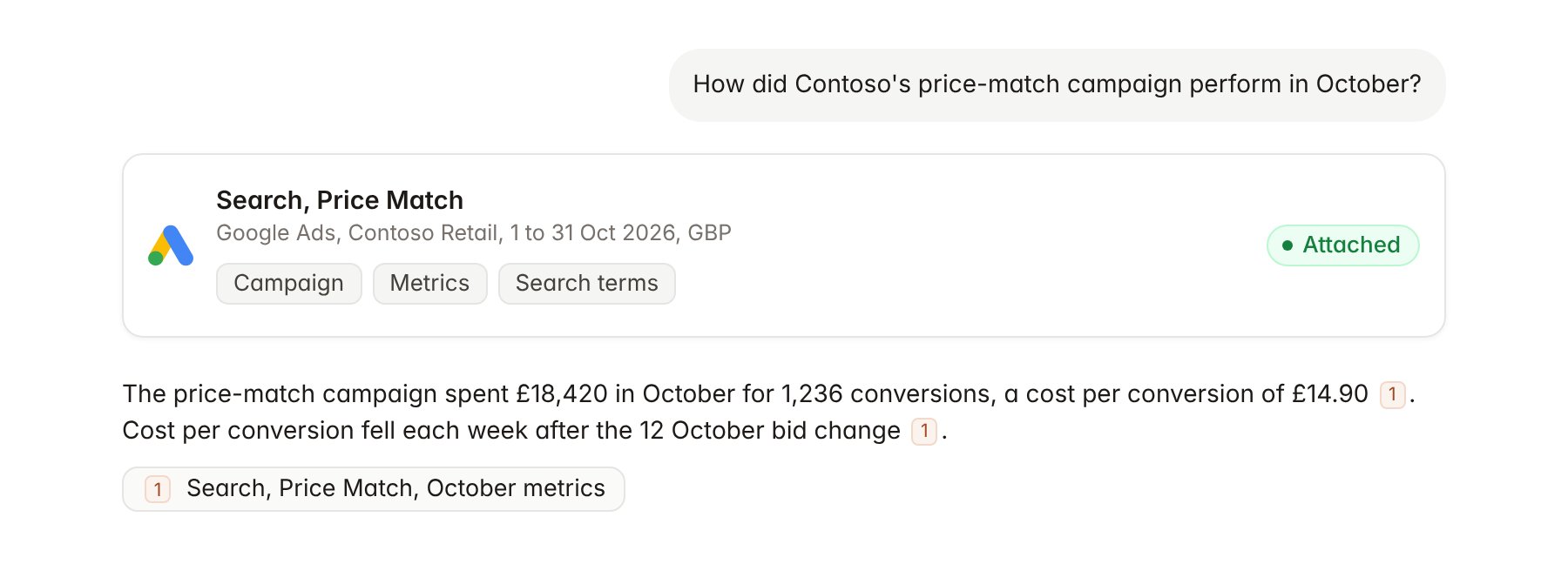
A Google Ads campaign report attached to a chat.
Hebno reads only
Hebno does not write to Google Ads. It never creates, edits, pauses or removes campaigns, ad groups, ads or keywords, changes budgets or bids, applies recommendations, or changes account access and billing settings. To act on what Hebno finds, make the change in Google Ads.Link a project to a Google Ads account
Linking marks which Google Ads account belongs to a client engagement, so you can ask “how is paid search doing?” without naming the account.- Open the project and select Brain.
- Under Linked records, select Link record, then Google Ads.
- Search by account name or customer ID, for example
123-456-7890, and select the account. To narrow the link, select the campaigns that belong to the engagement.
Use Google Ads in chat
-
Attach: open the + menu, choose Sources → Google Ads, and pick an account, a campaign or an ad group. Or type
/and choose Google Ads. -
Ask: name the client, campaign and period in your request. For example:
Summarise Contoso’s paid search performance for October by campaign: cost, conversions and cost per conversion, compared with September.
Which search terms in the price-match campaign spent the most last week without a conversion?
Build a table of impression share by campaign for the last four weeks for the Contoso pricing review readout.
- Research runs show a Checking Google Ads step, with a chip for each account and campaign it read.
- Agents can read Google Ads on a schedule, for example a Monday summary of last week’s spend and conversions for each linked client account.