

At a glance
Before you start
You need:- A Fireflies account that recorded the meetings, or that teammates shared them with.
- Your Fireflies API key. In Fireflies, open Settings → Developer settings and copy the key under API key.
- An allowed integration. An owner or admin sets Fireflies.ai to Allow under Admin → Connectors → Catalogue.
https://api.fireflies.ai/graphql with your key. It uses these queries:
The key gives the same access you have in Fireflies. Meetings are visible to Hebno only when your Fireflies privacy settings let you open them.
Connect Fireflies.ai
1
Copy your API key
In Fireflies, open Settings → Developer settings and copy your API key.
2
Add the key in Hebno
Open Settings → Connections, find Fireflies.ai under Meetings and calls and select Connect. Paste the key and select Connect.
3
Check the connection
The card shows Connected with your Fireflies email address.
What Hebno reads
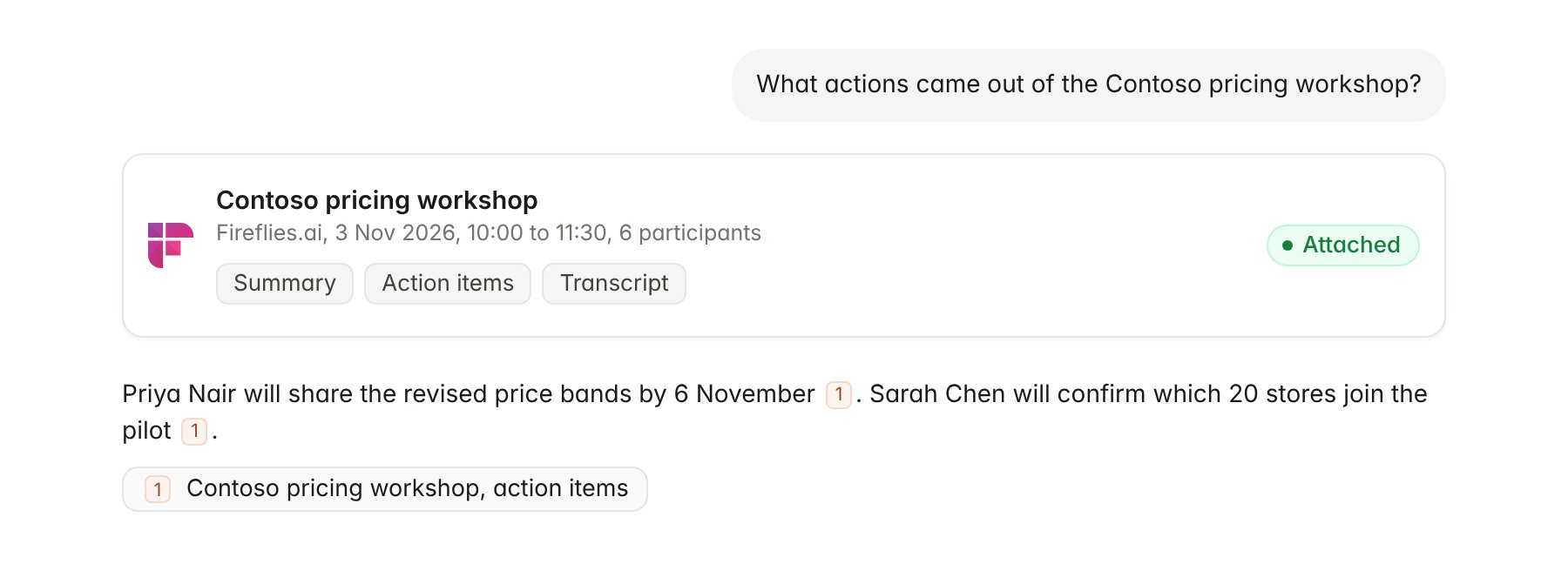
A Fireflies.ai meeting transcript attached to a chat.
Hebno reads only
Hebno does not write to Fireflies. It does not invite the Fireflies notetaker to meetings, edit transcripts, add comments or soundbites, or change sharing. To schedule a follow-up, use Google Calendar or Outlook Calendar.Link a project to a Fireflies channel
Linking marks which Fireflies channel belongs to an engagement, so you can ask “what did we agree this week?” without naming the meeting.- Open the project and select Brain.
- Under Linked records, select Link record, then Fireflies.ai.
- Search by channel name and select it, for example the Contoso pricing review channel.
Use Fireflies.ai in chat
-
Attach: open the + menu, choose Sources → Fireflies.ai, pick a meeting, then pick the summary, action items, transcript or full record. Or type
/and choose Fireflies.ai. -
Ask: name the client, person, keyword or date. For example:
Summarise the Contoso pricing workshop and list every decision with who made it.
Pull the action items from this week’s Contoso meetings and group them by owner.
Find every time Contoso mentioned store clusters across our calls since 1 October.
- Research runs show a Reviewing Fireflies.ai step, with a chip for each meeting and the source used.
- Agents can read Fireflies on a schedule, for example a Monday digest of last week’s client meetings with action items. Fireflies has no write actions, so agents only read.