

At a glance
Before you start
You need:- A Webex account on a Webex Meetings site that hosted or invited you to the meetings you want to use.
- Cloud recording turned on for meetings you want transcripts from, and Webex AI Assistant turned on for the site if you want summaries and action items. A Webex administrator controls both in Control Hub.
- An allowed integration. An owner or admin sets Webex to Allow under Admin → Connectors → Catalogue.
- Permission to authorise integrations. A Webex administrator can block third-party integrations in Control Hub → Apps → Integrations.
Connect Webex
1
Start the connection
Open Settings → Connections, find Webex under Meetings and calls and select Connect. Or type
/ in the composer, choose Webex and select Connect.2
Sign in to Webex
Sign in with your Webex account and select Accept to approve the scopes.
3
Return to Hebno
The card shows Connected with your Webex email address and site.
What Hebno reads
Hebno reads ended meeting instances, not the series itself, so each answer cites the occurrence it used. It uses the AI Assistant summary first, then a transcript excerpt, then the meeting details, and the source label shows which. Attaching a meeting offers Meeting details, AI Assistant summary, Transcript and Full meeting record as separate files.
Reads are live. Hebno queries Webex when a request needs it, and only what a reply used is stored with the conversation as its sources.
What Hebno writes
Hebno shows a card titled Webex meeting. Edit any field, then select Send. Dismiss discards it.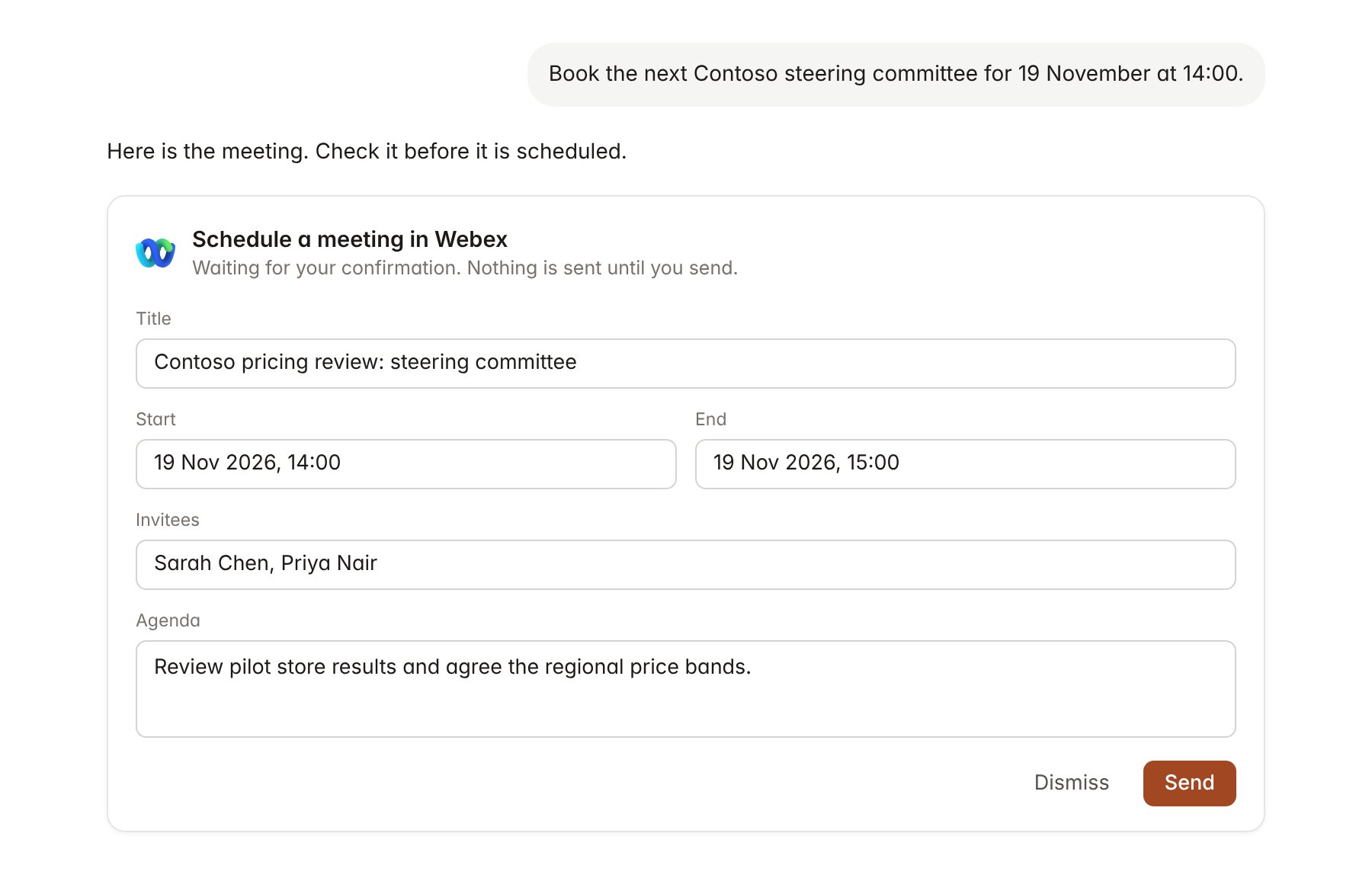
A Webex change pending confirmation. Nothing is written until you confirm.
Link a project to a meeting series
Linking marks which Webex meeting series belongs to an engagement, so you can ask “what did the steering committee decide?” without naming the meeting.- Open the project and select Brain.
- Under Linked records, select Link record, then Webex.
- Search by meeting title or meeting number and select the series, for example the fortnightly Contoso steering committee.
Use Webex in chat
-
Attach: open the + menu, choose Sources → Webex, pick a meeting, then pick the summary, transcript or full record. Or type
/and choose Webex. -
Ask: name the client, person or date. For example:
What did Contoso agree about the regional pricing pilot in the last two steering committees?
Draft a status note for Priya Nair from the action items in Thursday’s Webex readout.
Schedule a Webex with Sarah Chen on 19 November from 14:00 to 15:00 to walk through the pricing scenarios.
- Research runs show a Reviewing Webex step, with a chip for each meeting and the source used.
- Agents can read Webex on a schedule, for example a Friday summary of the week’s client meetings. Meetings an agent proposes appear in agent approvals for review.