

At a glance
Before you start
You need:- A HubSpot user in the account that contains your CRM data.
- Permission in HubSpot to install apps, or an administrator who can approve the install. The consent screen requests this.
- An allowed integration. An owner or admin sets HubSpot to Allow under Admin → Connectors → Catalogue.
Notes, tasks, calls and meetings are included in the company, contact and deal scopes, so no separate activity scope is needed.
Connect HubSpot
1
Start the connection
Open Settings → Connections, find HubSpot and select Connect. You can also select Connect from the prompt in a chat.
2
Choose your account
Sign in to HubSpot, choose the account that contains your CRM data, and approve the access Hebno requests.
3
Return to Hebno
The card shows Connected with your HubSpot account name.
What Hebno reads
Reads are live. Hebno queries HubSpot when a request needs it. Only what a reply used is stored with the conversation as its sources.
What Hebno writes
Every write appears first as a confirmation card. You can change any field before you select Confirm.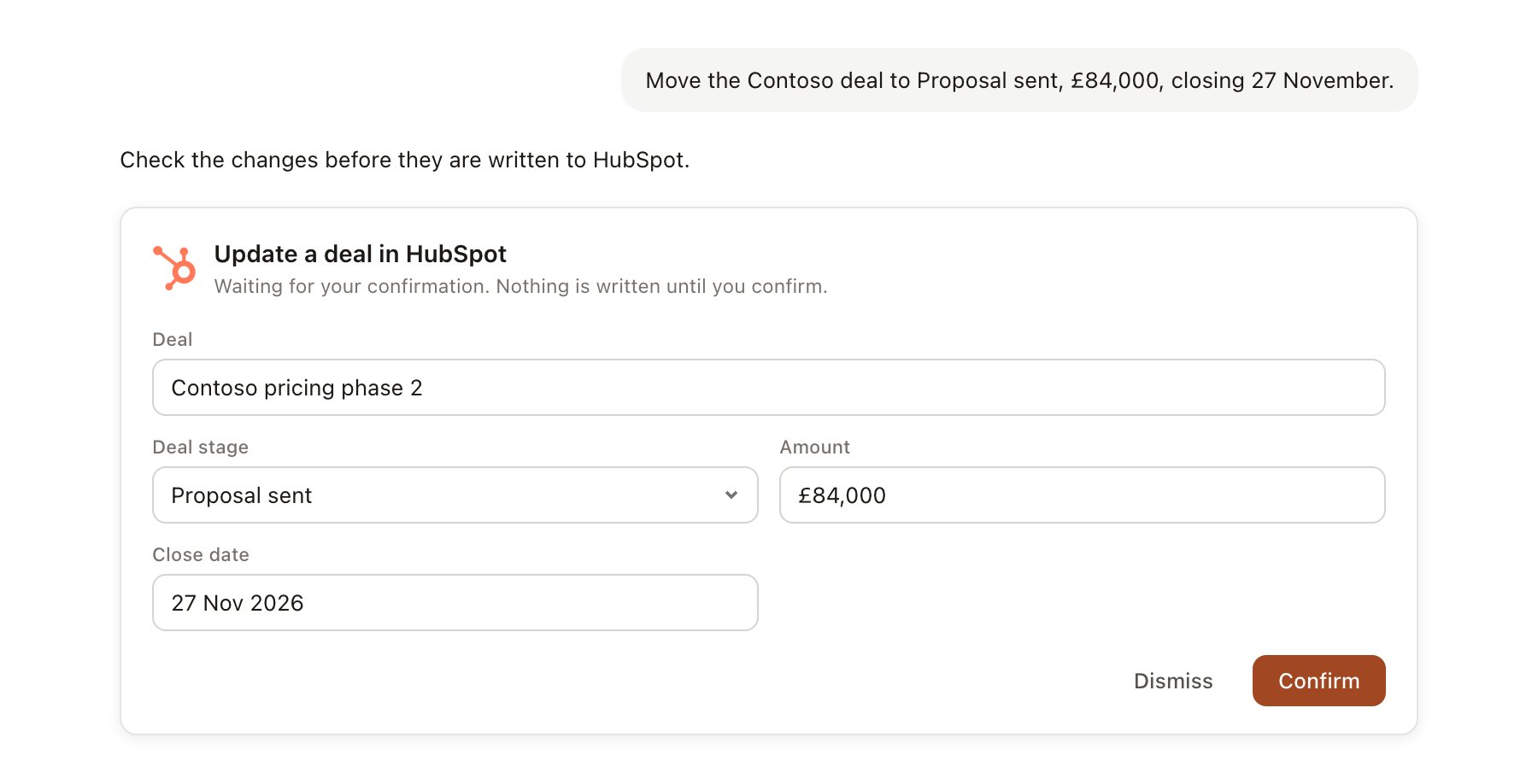
A HubSpot change pending confirmation. Nothing is written until you confirm.
Link a project to a company and a deal
Linking marks which HubSpot records belong to a project, so you can ask “where does the deal stand?” without naming it.- Open the project and select Brain.
- Under Linked records, select Link record, then HubSpot.
- Search for the company and select it. Repeat to add the deals that belong to the engagement.
Use HubSpot in chat
-
Attach: open the + menu, choose Sources → HubSpot, and pick a company, contact or deal. Or type
/and choose HubSpot. -
Ask: name the client, contact or deal in your request. For example:
Prep me for the pitch meeting with Contoso Retail on Thursday: open deals, who we have met, and what we sent them last time.
Summarise the account history for Contoso and flag any deal that has had no activity for 30 days.
Move the Contoso Phase 2 deal to Negotiation, set the close date to 30 November and add a note that Priya asked for fixed-fee pricing.
- Research runs show a Reviewing HubSpot step, with a chip for each company, deal and activity it read.
- Agents can read HubSpot on a schedule, for example a Monday brief on deals closing this month. Writes an agent proposes appear in agent approvals for review.