

At a glance
Before you start
You need:- An Apollo.io user in your team’s Apollo account.
- Permission to create API keys. Apollo admins control this, so ask an admin if the option is missing.
- An allowed integration. An owner or admin sets Apollo.io to Allow under Admin → Connectors → Catalogue.
Connect Apollo.io
1
Create an API key in Apollo
In Apollo, open Settings → Integrations, find API and select Connect. Under API keys, select Create new key, give it a name such as Hebno, choose the endpoints above and select Create API key. Copy the key.
2
Add the key in Hebno
Open Settings → Connections, find Apollo.io under Company and market data and select Connect. Paste the key and select Connect.
3
Check the connection
The card shows Connected with your Apollo user and team name.
What Hebno reads
Reads are live. Hebno queries Apollo when a request needs it. Only what a reply used is stored with the conversation as its sources. Hebno does not reveal email addresses or phone numbers from Apollo’s database unless a request asks for them, because Apollo counts each reveal against your account’s limits.
What Hebno writes
Every write appears first as a confirmation card. You can change any field before you select Confirm.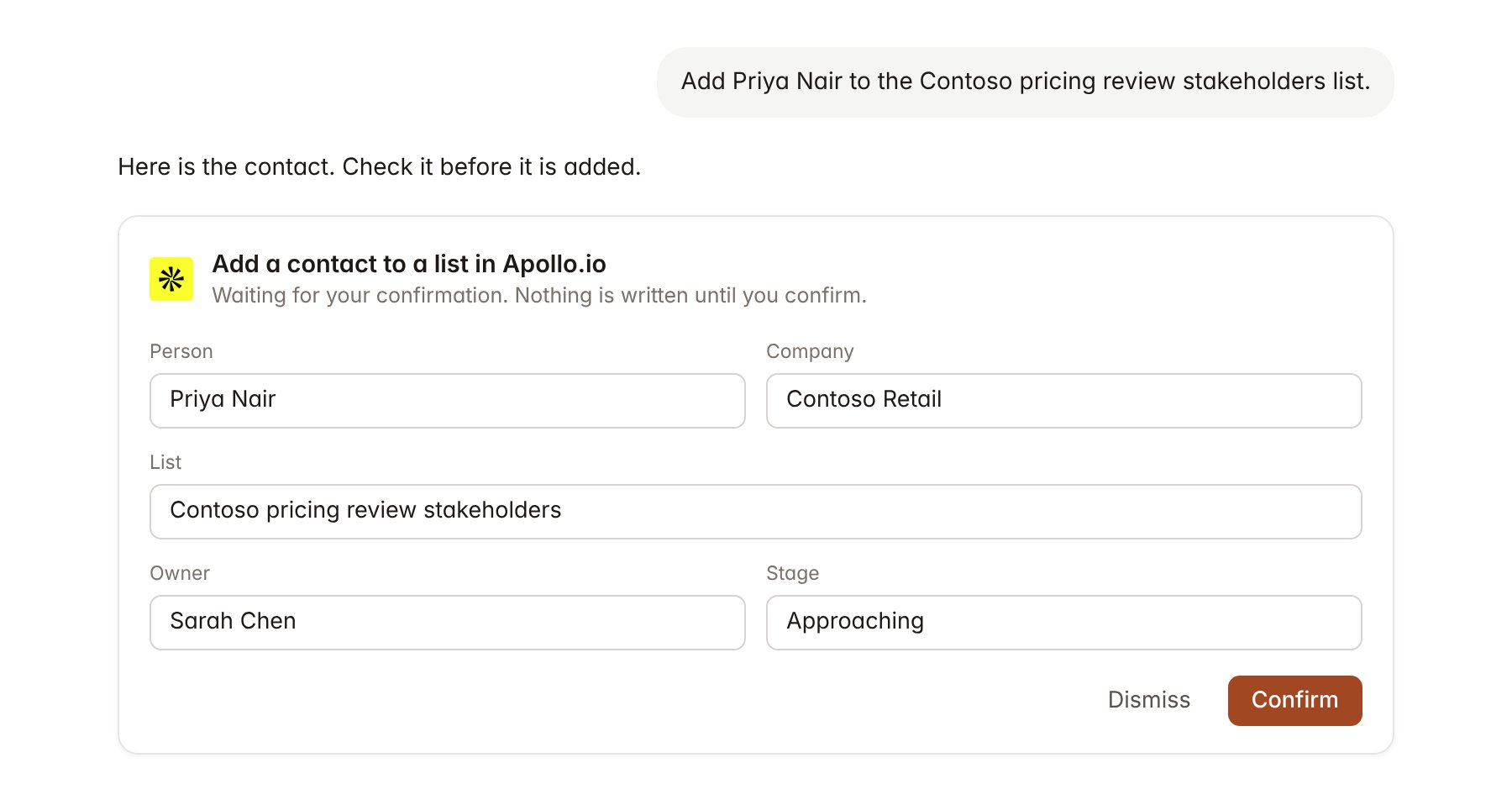
An Apollo.io change pending confirmation. Nothing is written until you confirm.
Link a project to an account
Linking marks which Apollo account belongs to a project, so you can ask “who else should we meet?” without naming the client.- Open the project and select Brain.
- Under Linked records, select Link record, then Apollo.io.
- Search your saved accounts and select the client. If the company is not saved yet, save it as an account in Apollo first.
Use Apollo.io in chat
-
Attach: open the + menu, choose Sources → Apollo.io, and pick a company, person, contact or list. Or type
/and choose Apollo.io. -
Ask: name the company, title or list in your request. For example:
List the director-level and above people in pricing, merchandising and finance at Contoso Retail.
Which of our saved Contoso contacts are in an active sequence, and who owns them?
Add Priya Nair and Sarah Chen to the Contoso pricing review stakeholders list.
- Research runs show a Checking Apollo.io step, with a chip for each company, person and list it read.
- Agents can read Apollo on a schedule, for example a Monday list of new senior hires at linked accounts. Writes an agent proposes appear in agent approvals for review.