

At a glance
Before you start
You need:- A Trello account that is a member of the boards you want to use.
- An allowed integration. An owner or admin sets Trello to Allow under Admin → Connectors → Catalogue.
- Approval from your Trello Enterprise admin if they restrict which apps members can authorise.
The token is issued with no expiry date. You can revoke it from Trello at any time under Settings → Applications, or with Disconnect in Hebno.
Connect Trello
1
Start the connection
Open Settings → Connections, find Trello and select Connect. You can also select Connect from the prompt in a chat.
2
Sign in to Trello
Sign in with your Atlassian account, check the access Hebno requests, and select Allow.
3
Return to Hebno
The card shows Connected with your Trello username.
What Hebno reads
Reads are live. Hebno queries Trello when a request needs it. Only what a reply used is stored with the conversation as its sources.
What Hebno writes
Every write appears first as a confirmation card. You can change any field before you select Confirm.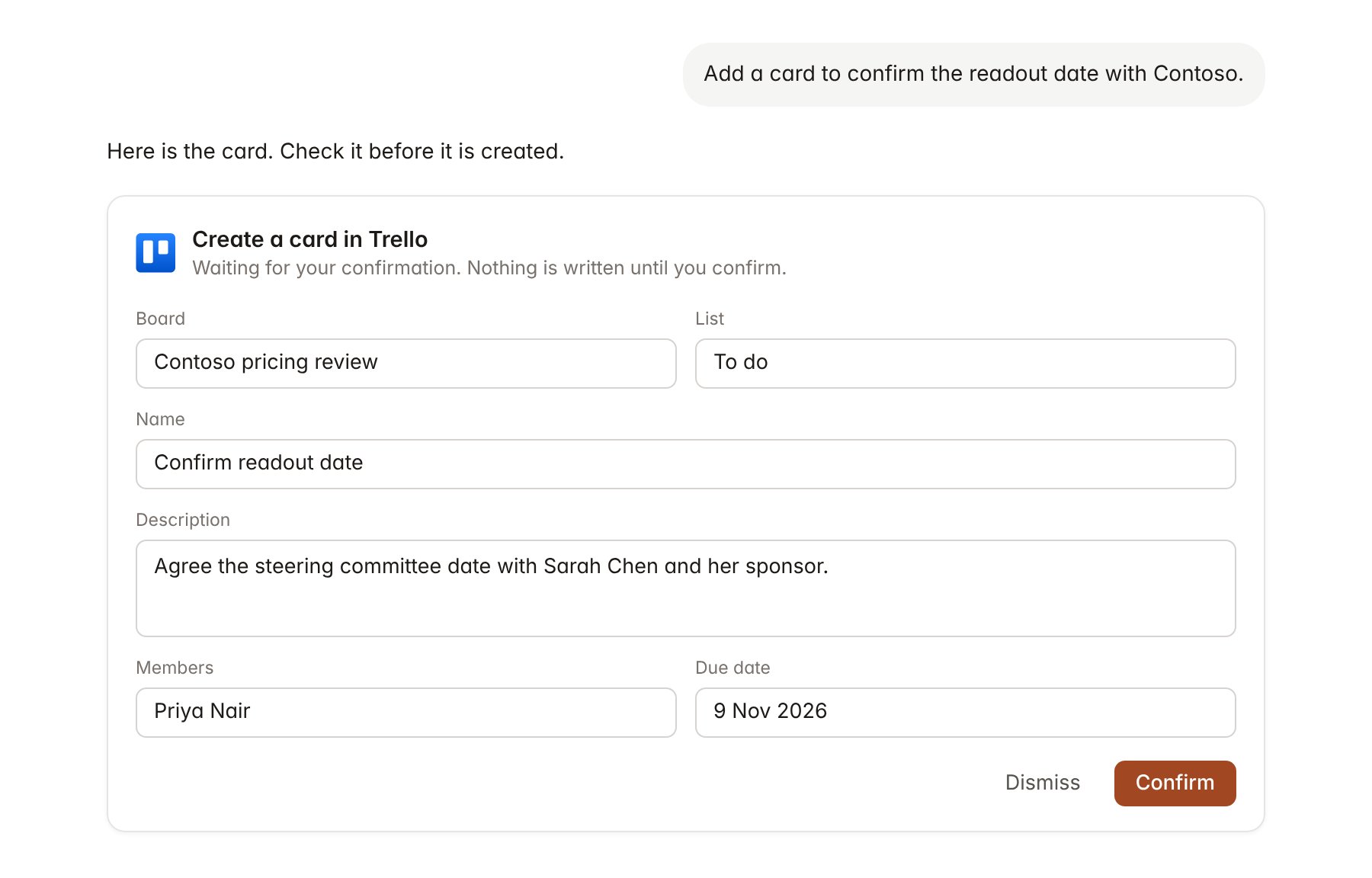
A Trello change pending confirmation. Nothing is written until you confirm.
Link a project to a Trello board
Linking marks which Trello boards belong to an engagement, so you can ask “what is still in progress?” without naming the board.- Open the project and select Brain.
- Under Linked records, select Link record, then Trello.
- Search by board name and select it. Repeat for each board in the engagement.
Use Trello in chat
-
Attach: open the + menu, choose Sources → Trello, and pick a board, a list or a card. Or type
/and choose Trello. -
Ask: name the board, list, card or person in your request. For example:
List every card on the Contoso pricing review board that is overdue, with its list, members and open checklist items.
Draft a status update for Contoso from the board: what moved to Done this week and what is waiting on the client.
Add a card called “Confirm readout date” to the To do list, assign Priya Nair and set it due on 9 November.
- Research runs show a Checking Trello step, with a chip for each board and card it read.
- Agents can read Trello on a schedule, for example a Friday list of cards that missed their due date. Writes an agent proposes appear in agent approvals for review.