

At a glance
Before you start
You need:- A Guru account with access to the collections you want to use. Hebno reads only the collections and cards your Guru groups allow.
- Author or higher permission on a collection where you want to create drafts.
- An allowed integration. An owner or admin sets Guru to Allow under Admin → Connectors → Catalogue.
- A Guru user token. In Guru, open Apps & Integrations → API Access, select Generate User Token and copy it.
Connect Guru
1
Check the integration is allowed
An owner or admin controls this under Admin → Connectors → Catalogue. If Guru shows Blocked, ask an admin to set it to Allow.
2
Create a token in Guru
In Guru, open Apps & Integrations → API Access, select Generate User Token, name it Hebno and copy the token.
3
Connect in Hebno
Open Settings → Connections, find Guru under Knowledge, select Connect, enter your Guru email and paste the token. The row shows Connected with your Guru team name.
What Hebno reads
The collections your organisation selects are stored in the knowledge index and searched by meaning, with Guru permissions checked at search and again at read. Opening a specific card reads it as it is now, with your token. Only the excerpts a reply used are stored with the conversation as its sources.
Each source shows the card’s verification state. When a card is marked Needs verification, the reply says so and names the verifier, so you can check with them before you rely on it.
What Hebno writes
Every draft appears first as a confirmation card. You can change any field before you select Confirm.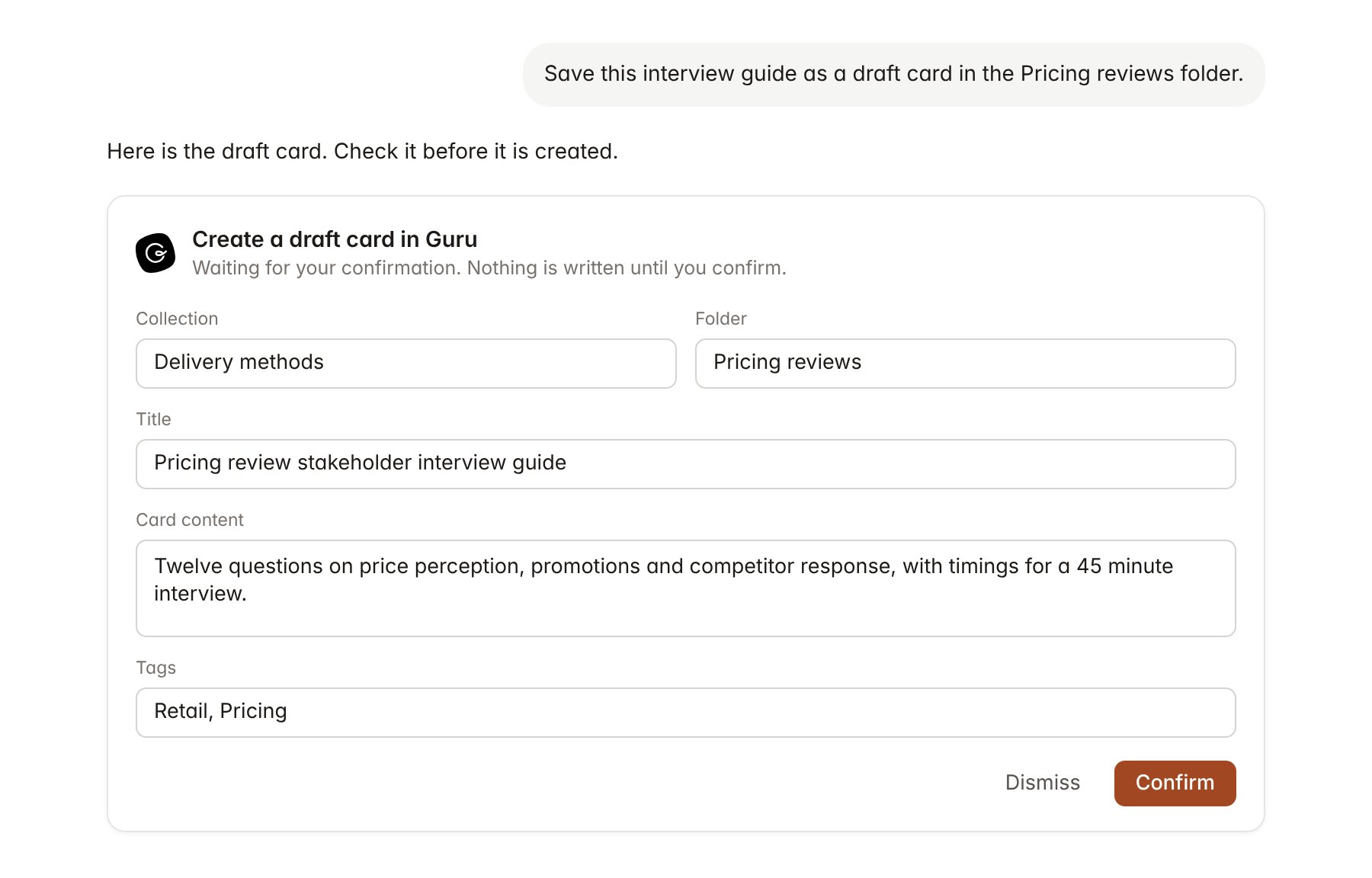
A Guru change pending confirmation. Nothing is written until you confirm.
Link a project to a collection
Linking marks which Guru collections or folders belong to an engagement, so you can ask “what is our method?” without naming the collection.- Open the project and select Brain.
- Under Linked sources, select Link source, then Guru.
- Search by collection or folder name and select Link.
Use Guru in chat
-
Attach: open the + menu, choose Sources → Guru, and pick a card, a folder or a collection. Or type
/and choose Guru. -
Ask: name the method, policy or collection in your request. For example:
What does our pricing review method say about choosing test and control stores? Cite only verified cards.
Build a kickoff agenda for Contoso Retail from the engagement kickoff and data request cards.
Save this interview guide as a draft card in the Pricing reviews folder, tagged retail.
- Research runs show a Reviewing Guru step, with a chip for each card Hebno read and its verification state.
- Agents can read Guru on a schedule. Drafts an agent proposes appear in agent approvals for review.