

At a glance
Before you start
You need:- A Mailchimp login with access to the account that contains the client’s audiences. The Viewer role can read reports, and the Author role or higher can create draft campaigns.
- An allowed integration. An owner or admin sets Mailchimp to Allow under Admin → Connectors → Catalogue.
If you use Mailchimp for several clients with separate accounts, connect the account you need, then select Switch account on the card to change it.
Connect Mailchimp
1
Start the connection
Open Settings → Connections, find Mailchimp under Marketing and advertising and select Connect. You can also select Connect from the prompt in a chat.
2
Sign in to Mailchimp
Sign in, choose the account if your login has access to more than one, and select Allow.
3
Return to Hebno
The card shows Connected with the Mailchimp account name.
What Hebno reads
Reads are live. Hebno queries Mailchimp when a request needs it. Reports come from Mailchimp as they are at the time of the request, so figures match the Reports page. Only what a reply used is stored with the conversation as its sources.
What Hebno writes
Every write appears first as a confirmation card. You can change any field before you select Confirm.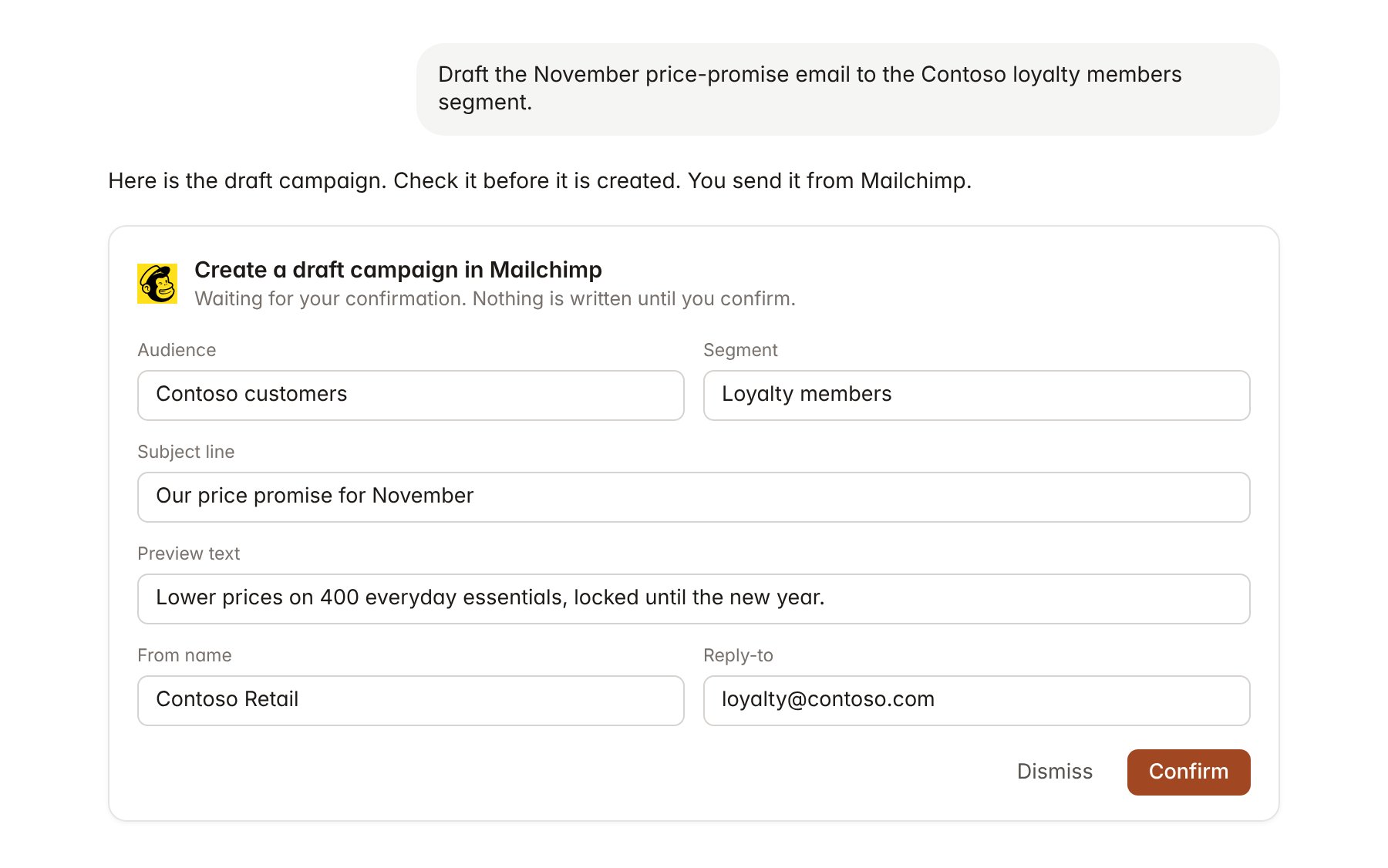
A Mailchimp change pending confirmation. Nothing is written until you confirm.
Link a project to an audience
Linking marks which Mailchimp audience belongs to a client engagement, so you can ask “how did the last newsletter do?” without naming the audience.- Open the project and select Brain.
- Under Linked records, select Link record, then Mailchimp.
- Search by audience name and select it. To narrow the link, select the campaigns that belong to the engagement.
Use Mailchimp in chat
-
Attach: open the + menu, choose Sources → Mailchimp, and pick an audience, a campaign or a campaign report. Or type
/and choose Mailchimp. -
Ask: name the client, campaign or audience in your request. For example:
Compare open and click rates for the last six Contoso newsletters and show which subject lines did best.
Which links in the October loyalty email had the most clicks, and how many people unsubscribed?
Draft a campaign to the loyalty members segment announcing the November price promise, based on the pricing review summary.
- Research runs show a Checking Mailchimp step, with a chip for each audience, campaign and report it read.
- Agents can read Mailchimp on a schedule, for example a report two days after each Contoso newsletter is sent. Writes an agent proposes appear in agent approvals for review.