

At a glance
Before you start
You need:- A Basecamp account in the company account you want to use.
- An allowed integration. An owner or admin sets Basecamp to Allow under Admin → Connectors → Catalogue.
Connect Basecamp
1
Start the connection
Open Settings → Connections, find Basecamp and select Connect. You can also select Connect from the prompt in a chat.
2
Sign in with your 37signals ID
Sign in to Basecamp and select Yes, I’ll allow access.
3
Choose the account
If your ID opens more than one Basecamp account, choose the one Hebno should use. The card shows Connected with the account name.
What Hebno reads
Reads are live. Hebno queries Basecamp when a request needs it. Only what a reply used is stored with the conversation as its sources.
What Hebno writes
Every write appears first as a confirmation card. You can change any field before you select Confirm.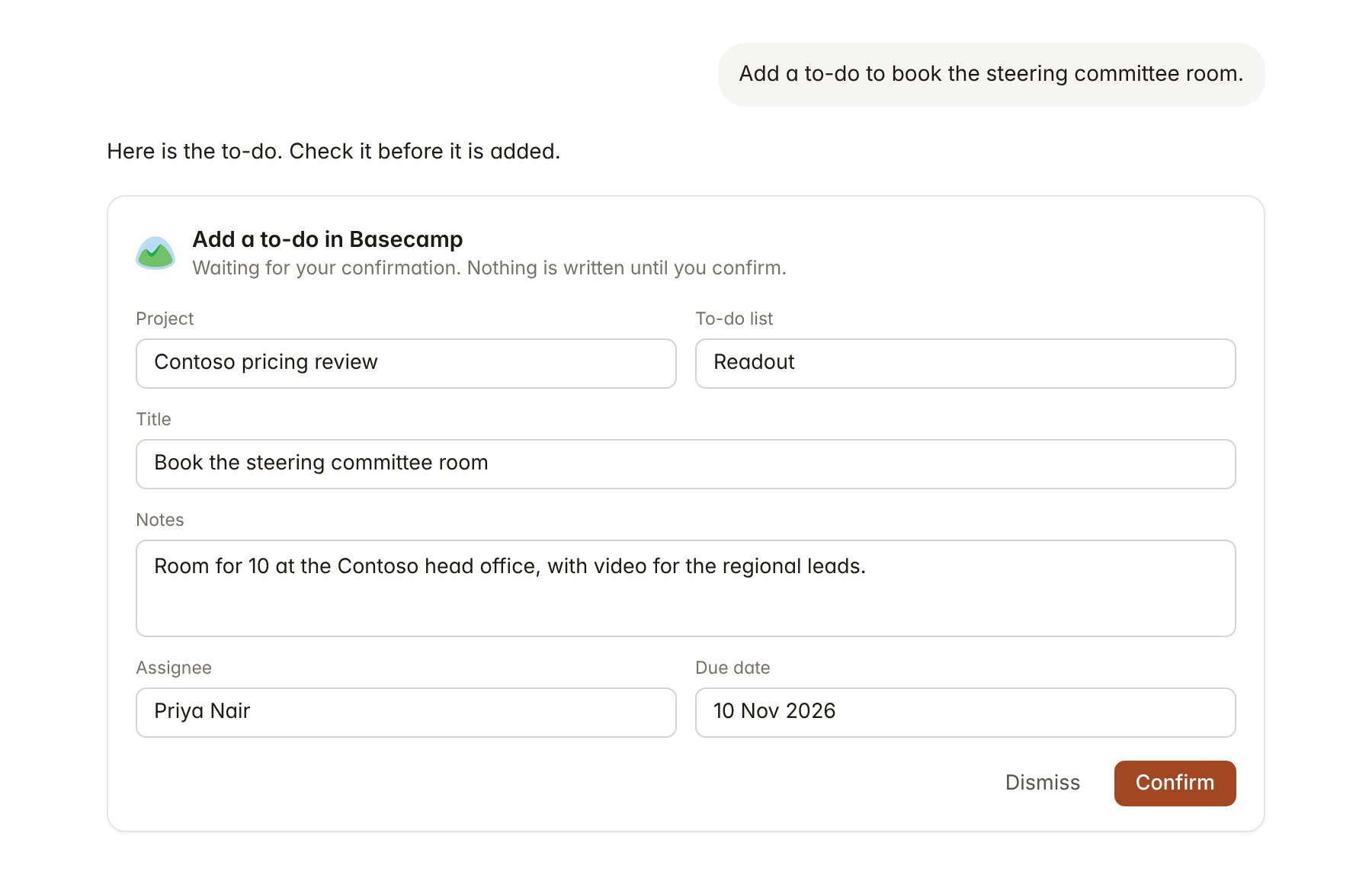
A Basecamp change pending confirmation. Nothing is written until you confirm.
Link a project to a Basecamp project
Linking marks which Basecamp projects belong to an engagement, so you can ask “what is still open?” without naming the project.- Open the project and select Brain.
- Under Linked records, select Link record, then Basecamp.
- Search by project name and select it. Repeat for each Basecamp project in the engagement.
Use Basecamp in chat
-
Attach: open the + menu, choose Sources → Basecamp, and pick a project, a to-do list, a to-do, a message or a doc. Or type
/and choose Basecamp. -
Ask: name the project, to-do or person in your request. For example:
List every open to-do on the Contoso pricing review, grouped by assignee, with anything past its due date first.
Summarise what Contoso posted on the message board since 26 October and draft a reply for the team.
Add a to-do to the Readout list to book the steering committee room, assign Priya Nair, due 10 November.
- Research runs show a Checking Basecamp step, with a chip for each project, to-do and message it read.
- Agents can read Basecamp on a schedule, for example a Monday digest of client messages and overdue to-dos. Writes an agent proposes appear in agent approvals for review.