

At a glance
Before you start
You need:- A GitHub account with access to the repositories you want to use.
- An allowed integration. An owner or admin sets GitHub to Allow under Admin → Connectors → Catalogue.
- The Hebno GitHub App installed on each GitHub organisation whose repositories you want to read. A GitHub organisation owner installs it under Settings → GitHub Apps, or approves your installation request. On a personal account, you install it yourself during Connect.
Hebno also reads your GitHub user profile to show which account is connected. Hebno acts with a user access token, so GitHub checks both the app’s permissions and your own access on every request. A repository you cannot open in GitHub is not visible in Hebno.
Connect GitHub
1
Start the connection
Open Settings → Connections, find GitHub under Engineering and select Connect. You can also select Connect from the prompt in a chat.
2
Authorise the app
Sign in to GitHub and select Authorize. If the app is not installed where your repositories are, choose the organisation or account, then All repositories or Only select repositories, and select Install. In an organisation you do not own, GitHub sends an installation request to the organisation owners instead.
3
Return to Hebno
The card shows Connected with your GitHub username and the organisations Hebno can reach.
What Hebno reads
Reads are live. Hebno queries GitHub when a request needs it, and reads files as they are on the default branch at that moment. Hebno does not read source code files, commits or diffs line by line. Only what a reply used is stored with the conversation as its sources.
What Hebno writes
Every write appears first as a confirmation card. You can change any field before you select Confirm.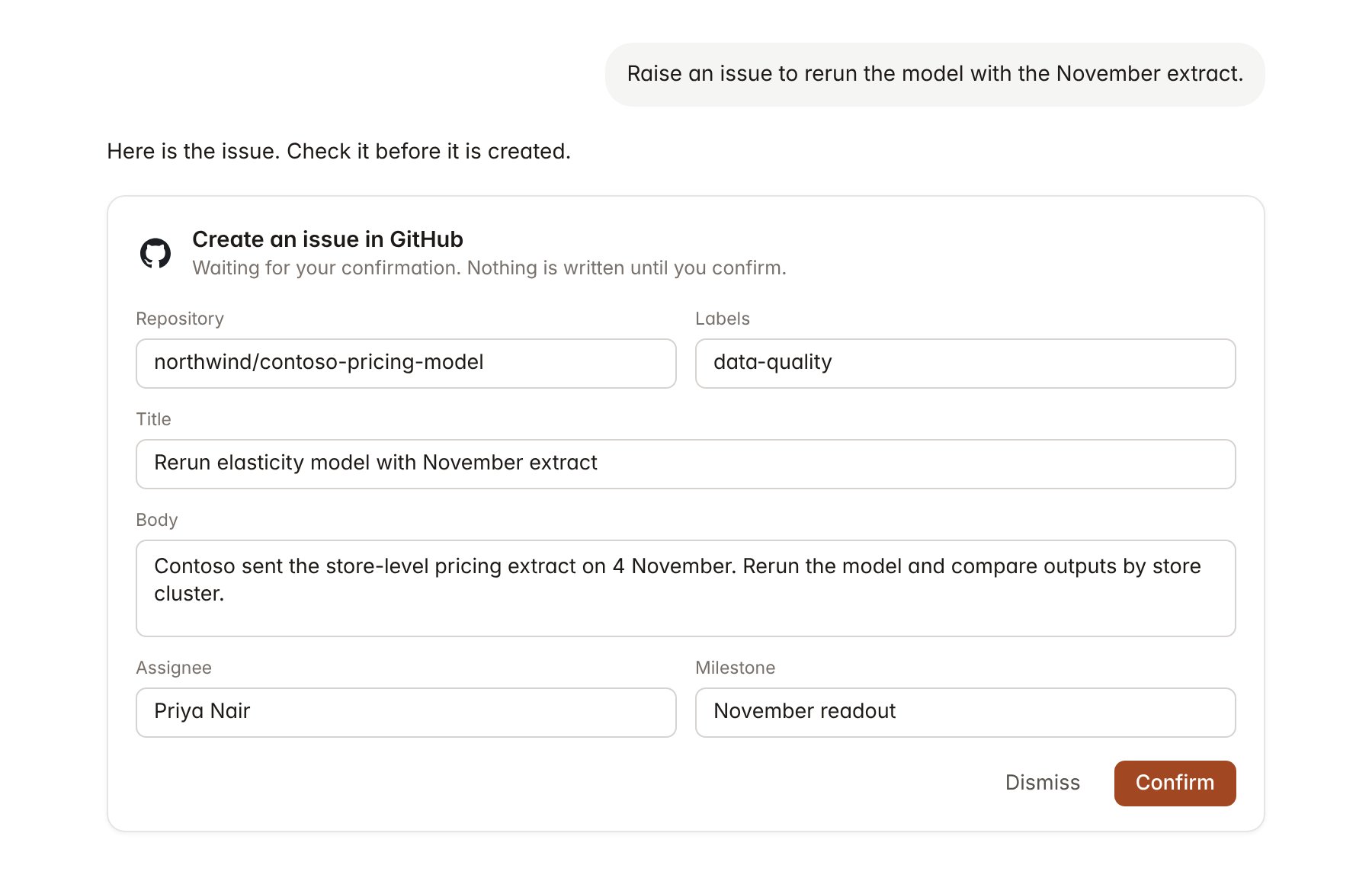
A GitHub change pending confirmation. Nothing is written until you confirm.
Link a project to a repository
Linking marks which repositories belong to an engagement, so you can ask “what is still open?” without naming the repository.- Open the project and select Brain.
- Under Linked records, select Link record, then GitHub.
- Search by owner or repository name and select it. Repeat for each repository in the engagement.
Use GitHub in chat
-
Attach: open the + menu, choose Sources → GitHub, and pick a repository, an issue, a pull request or a Markdown file. Or type
/and choose GitHub. -
Ask: name the repository, issue number or person in your request. For example:
List the open issues on the Contoso pricing model labelled data-quality, grouped by assignee.
Summarise the pull requests merged since 26 October and what they changed, for the steering committee update.
Comment on pull request #45 that Priya Nair reviewed the store cluster outputs and they match the client extract.
- Research runs show a Checking GitHub step, with a chip for each repository, issue, pull request and file it read.
- Agents can read GitHub on a schedule, for example a Friday list of issues opened and closed on the engagement repositories. Writes an agent proposes appear in agent approvals for review.