

At a glance
Before you start
You need:- A Microsoft work account with a Dynamics 365 Sales licence and a security role that can read the records you want.
- Your environment address, for example
https://northwind.crm.dynamics.com. Regional environments use their own host. - Dynamics 365 Sales set to Allow under Admin → Connectors → Catalogue, done by an owner or admin.
A directory administrator can approve this once for the organisation. See the Microsoft Entra admin guide.
Connect Dynamics 365 Sales
1
Open Connections
Go to Settings → Connections, find Dynamics 365 Sales and select Connect. In chat, the first request that needs Dynamics shows a Connect prompt instead.
2
Enter your environment
Enter your environment address. If your organisation has more than one environment, use the one your sales team works in.
3
Sign in and approve
Sign in with your Microsoft account and approve the permission. If an admin has enabled the integration for the organisation, no consent screen appears.
Enable for the organisation
A directory administrator can select Enable for the organisation on the Dynamics 365 Sales card under Admin → Connectors → Catalogue. This removes the member consent screen only. Each member still connects their own account and sees only the records their security role allows.What Hebno reads
Reads are live. Hebno queries Dynamics when a request needs it, and only what a reply used is stored with the conversation as its sources.
What Hebno writes
Every write appears first as a confirmation card. You can change any field before you select Confirm.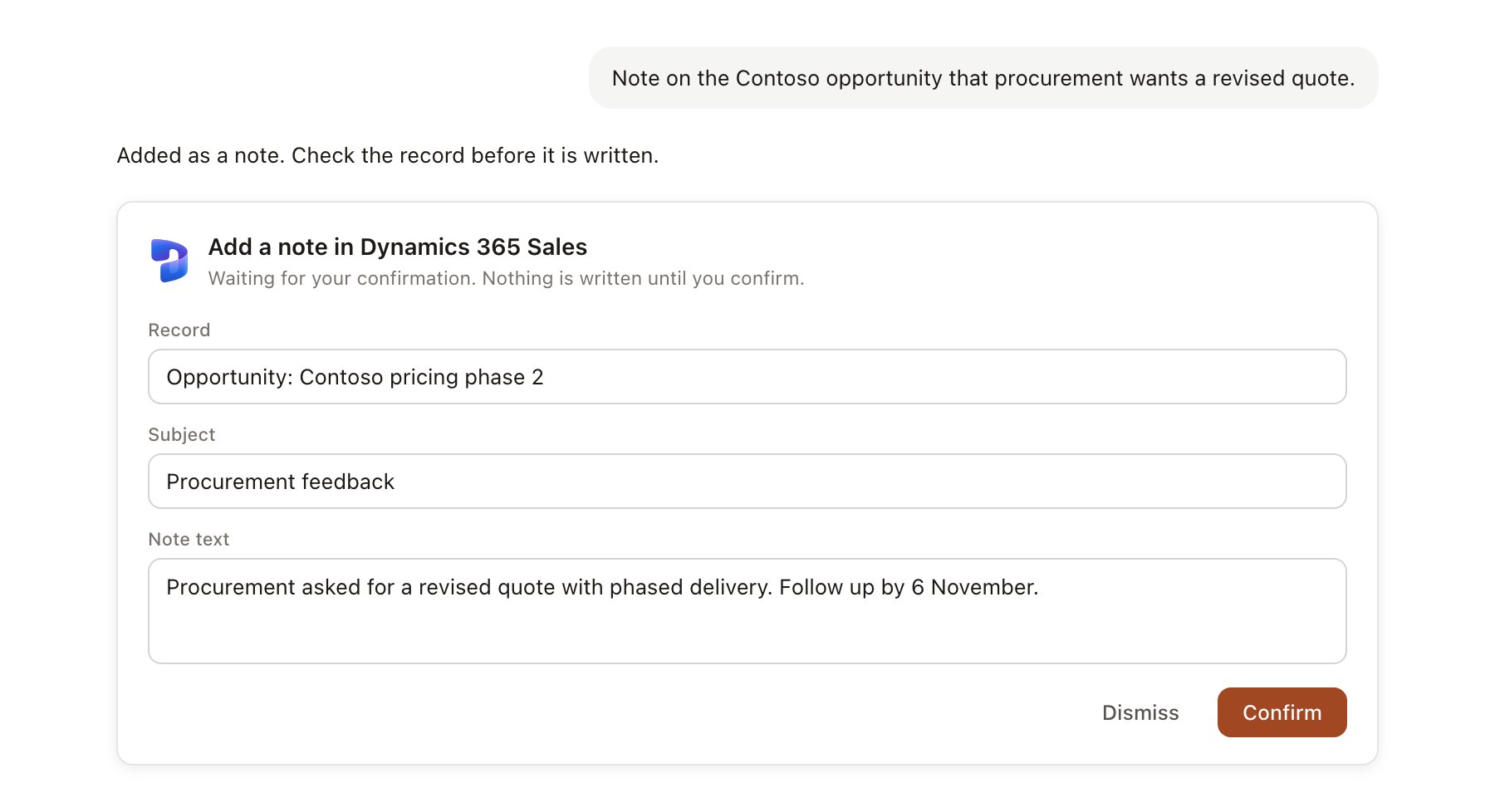
A Dynamics 365 Sales change pending confirmation. Nothing is written until you confirm.
Link a project to an account or opportunity
Linking marks which Dynamics records belong to a project, so you can ask “where is the deal?” without naming it.- Open the project and select Brain.
- Under Linked records, select Link record, then Dynamics 365 Sales.
- Search for an account or opportunity and select it.
Use Dynamics 365 Sales in chat
-
Attach: open the + menu, choose Sources → Dynamics 365 Sales, and pick an account, contact, lead or opportunity. Or type
/and choose Dynamics 365 Sales. -
Ask: name the client or deal. For example:
Summarise the Contoso Retail relationship from the CRM: contacts, open opportunities and the last three activities.
Draft a proposal outline for the Contoso pricing review using the opportunity notes.
Add a note to the Contoso opportunity: pricing workshop agreed for 18 November, Priya to share volumes.
- Research runs show a Reviewing Dynamics 365 Sales step, with a chip for each record read.
- Agents can read Dynamics on a schedule, for example a Friday summary of opportunities closing next month. Writes an agent proposes appear in agent approvals.