

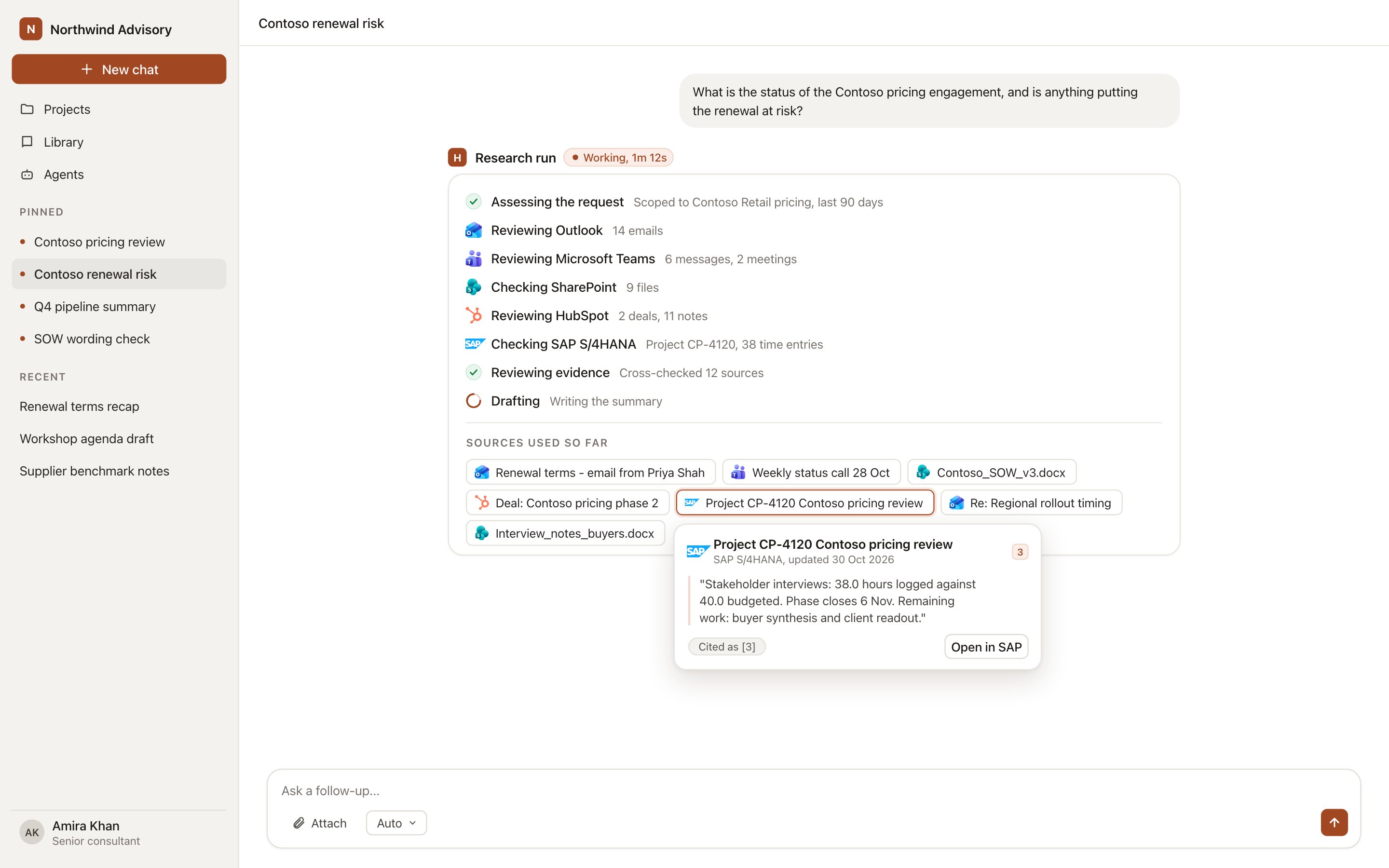
A research run reading from connected systems, with each record shown as a chip in the work trace.
What an integration does
Every integration does some or all of four things.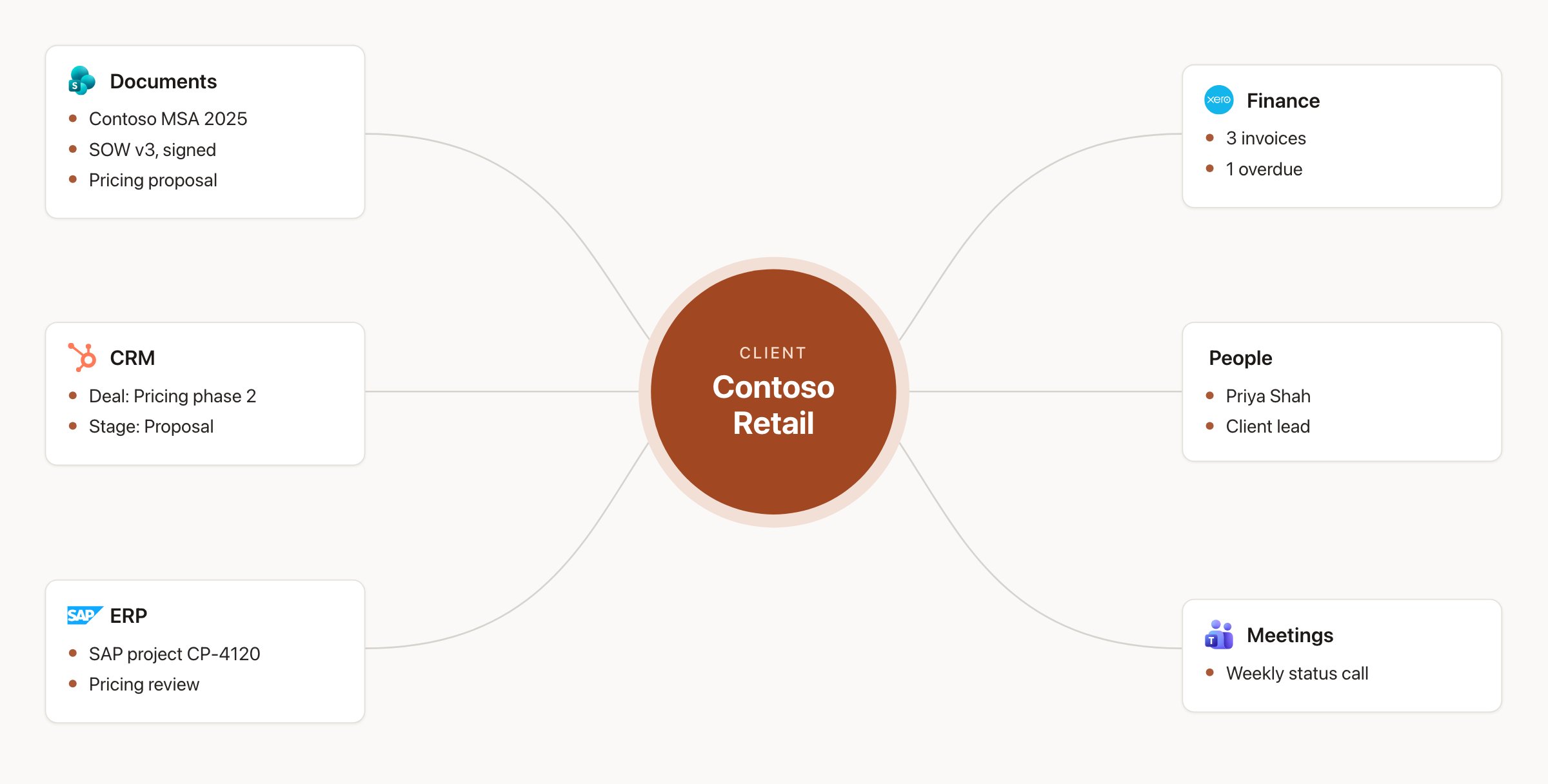
Integrations connect each client's documents, deals, jobs, invoices, people and meetings.
The catalogue lists which of these each integration supports, and exactly what it reads and writes.
How a request is routed to a connected system
The systems searched depend on your request. Naming the client, the system or the record (“in HubSpot”, “the Asana project”, “our last email with Priya”) narrows the search. In a chat tagged to a project, the project’s linked records are searched first.How Hebno reads each system
Documents in SharePoint, OneDrive, Google Drive, Dropbox, Box, Egnyte, iManage Work, NetDocuments, Confluence, Notion, Coda, Guru and Microsoft Loop that your admins select are stored in the knowledge index, searched by meaning and checked against source permissions. CRM, ERP, finance, PSA, HR, company data and analytics records and figures are looked up live and never copied. Email, calendar, meetings, call recordings and chat messages are searched live in the member’s own account. Each live read runs at the moment of the request, so figures and statuses are current when the answer is drafted. The excerpts and records a reply actually uses are stored with the conversation, so the sources behind a deliverable remain available after the fact. See How Hebno works.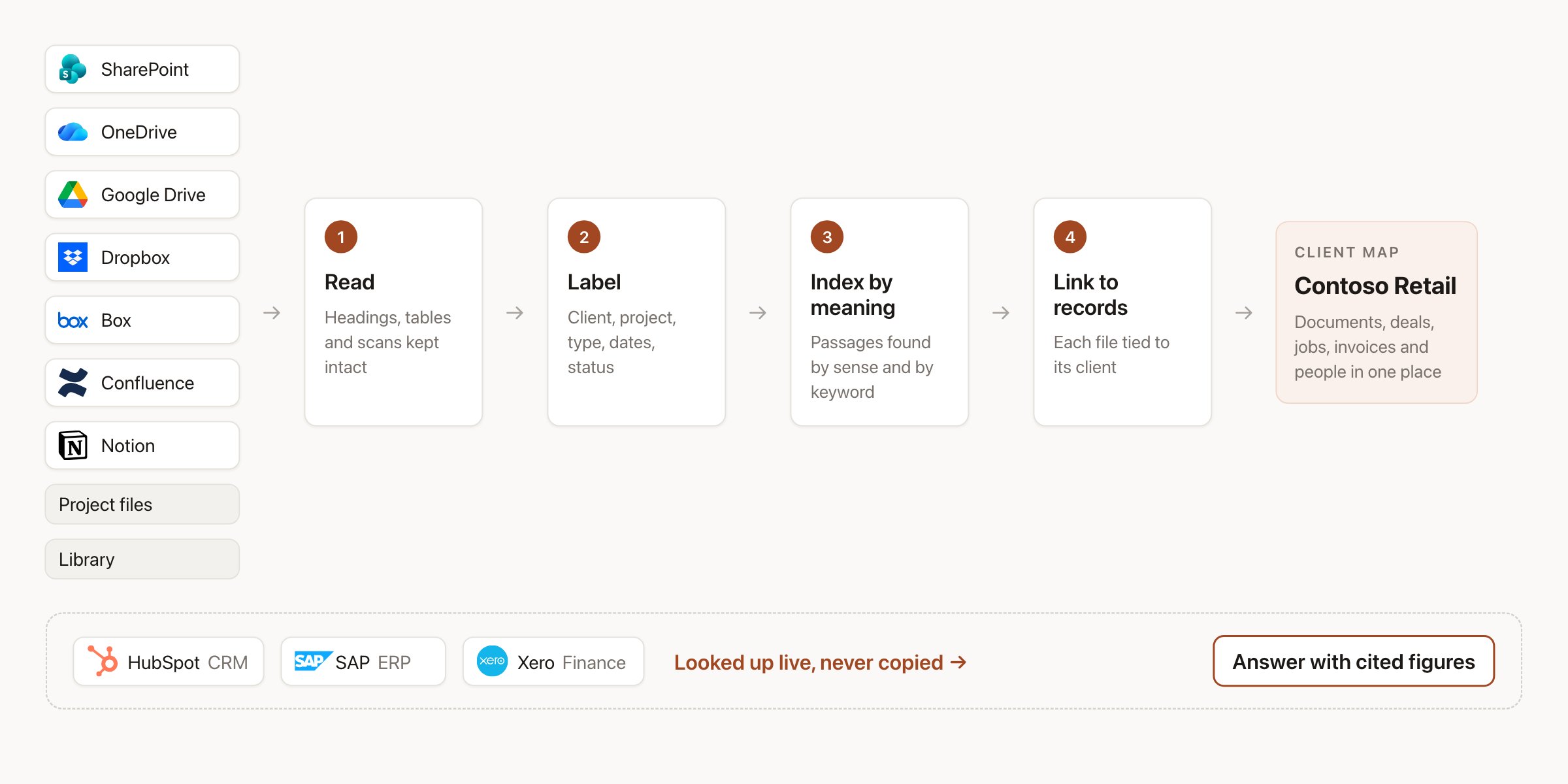
Documents are indexed by meaning. CRM, ERP and finance figures are looked up live.
Writes always need a person
Hebno never writes to a connected system on its own. When a request implies a change, the reply shows a confirmation card with the system, the action, the target record and every field it will set. Edit anything on the card, then select Confirm. For email and calendar invitations the button is Send. Dismiss discards the change.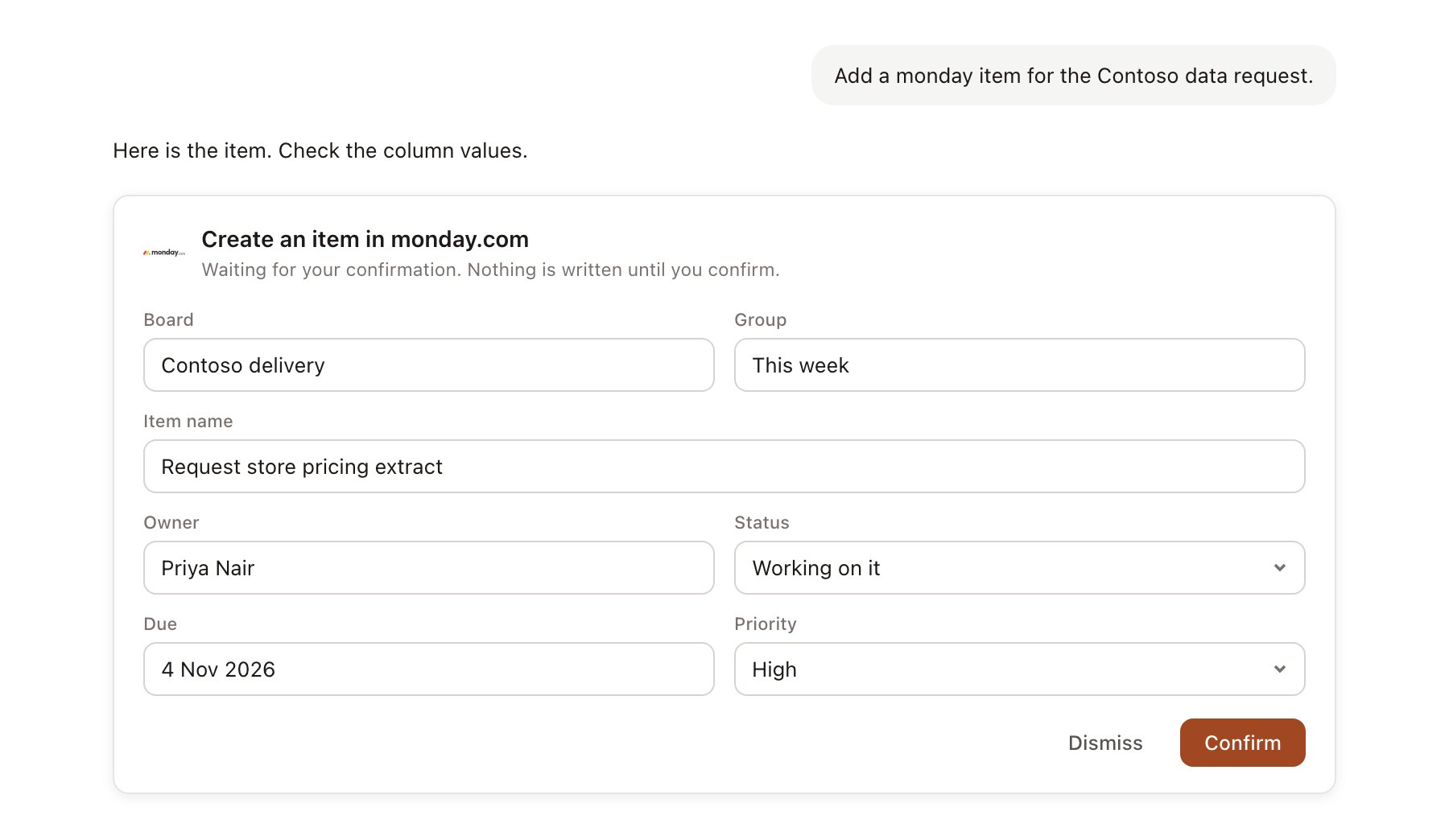
A confirmation card for monday.com. Nothing is written until you confirm.
- A confirmed write uses your own account in the other system wherever you have a personal connection, so that system shows you as the author.
- After a write, the card shows Done with a link to the record.
- Every confirmed write is recorded in Admin → Logs → Integrations.
- Agents never write unattended. A write an agent proposes appears in agent approvals until someone confirms it.
- In finance and ERP systems, Hebno creates drafts only. It never approves, posts, sends or pays.
Two ways to connect
Some systems support both: the organisation connection provides access, and members can Link your account so writes appear under their own name. See Permissions and access for how each model limits what a member can see.
Where integrations appear
- Composer: the + menu under Sources, or type
/and the integration name. - Work trace: a research run shows a step per system, such as Reviewing Outlook or Checking SAP S/4HANA, with a chip for every item it found.
- Sources: the button under each reply lists every file, email, meeting and record used, with the app logo and a link back to the original.
- Projects: Brain → Linked sources and Brain → Linked records.
- Agents: Connected sources and Allowed actions on the agent form.
Get connected
Microsoft 365
OneDrive, SharePoint, Outlook, Teams, OneNote and Dynamics 365.
Google Workspace
Drive, Docs, Sheets, Slides, Gmail, Calendar and Meet.
Meetings and calls
Zoom, Webex, Gong, Fireflies.ai, Otter.ai, Fathom, Loom and Calendly.
PSA, time and resourcing
Deltek WorkBook, Kantata, Productive, Harvest, Float and more.
Catalogue
All 111 integrations, what each one reads and what it writes.
Admin setup
Allow integrations, set access and connect organisation systems.